
I’ll be honest with you. When I first heard about “AI for construction documents,” I rolled my eyes a little. We’ve seen plenty of tech companies swoop into this industry with flashy tools that don’t actually understand how construction works. They’ll demo beautifully but fall apart the moment you throw a real project at them.
So when Framework showed up on my radar, I was skeptical. Another AI tool promising to revolutionize how we work? Sure. But I’ve been in this industry long enough to know that the difference between a good idea and a useful tool is whether it actually saves time when you’re under pressure.
We decided to put it through its paces with a real project. Here’s what we found.
The Problem We’re All Tired Of
Let me paint a picture you’ll probably recognize.
It’s 2:30 PM on a Thursday. Your phone buzzes—another RFI from the site. The superintendent needs to know the insulation requirements for the exterior walls on the north elevation. Should be straightforward, right?
Except the specs are 180 pages. The architectural drawings reference one thing, the energy report says something else, and you’re pretty sure there was an addendum that changed something. You open four PDFs, start searching, get interrupted by another call, lose your place, and suddenly it’s 4:00 PM and you’ve spent an hour and a half on what should’ve been a five-minute question.
Sound familiar?
This is the problem Framework is trying to solve. And surprisingly, it actually does.
What Framework Actually Is
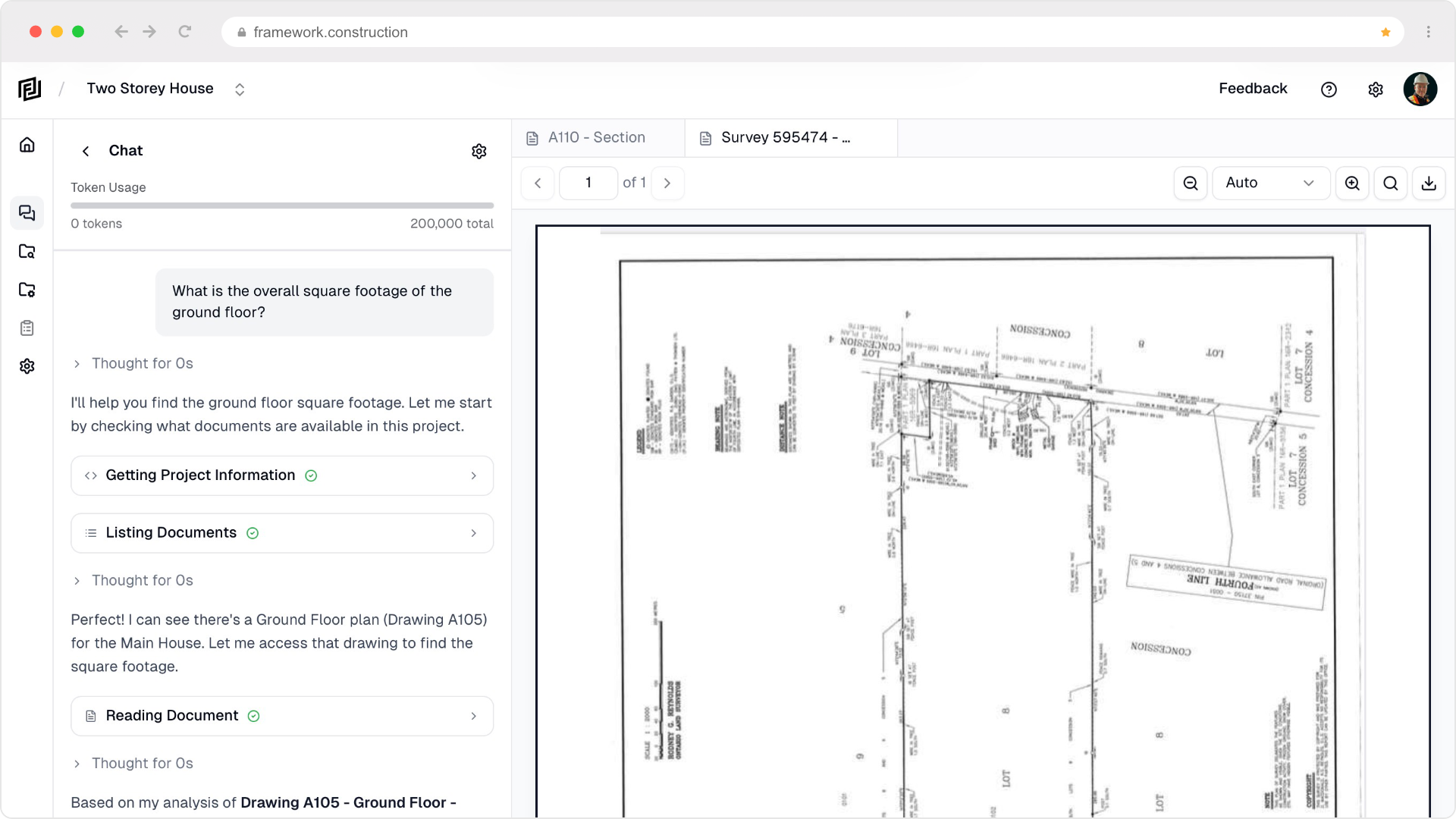
At its core, Framework is pretty simple. You upload your project documents—drawings, specs, RFIs, submittals, whatever you’ve got in PDF format—and then you ask it questions in plain English. The AI reads through everything, finds the relevant information, and gives you an answer with a citation so you can verify it yourself.
That’s it. No complicated setup, no integrations to configure, no training required.
I uploaded a complete document set from a two-story residential project we’d been using as a reference. 47 drawings, a full spec book, 23 RFIs, and a handful of submittals. Took about ten minutes to upload everything.
Then I started asking questions the way I’d actually ask them if I was calling a colleague.
Testing With Real Questions
Here’s where it gets interesting. I didn’t feed it softball questions. I asked the messy, context-dependent stuff that usually requires digging.
Question 1: “What’s the insulation R-value for exterior walls?”
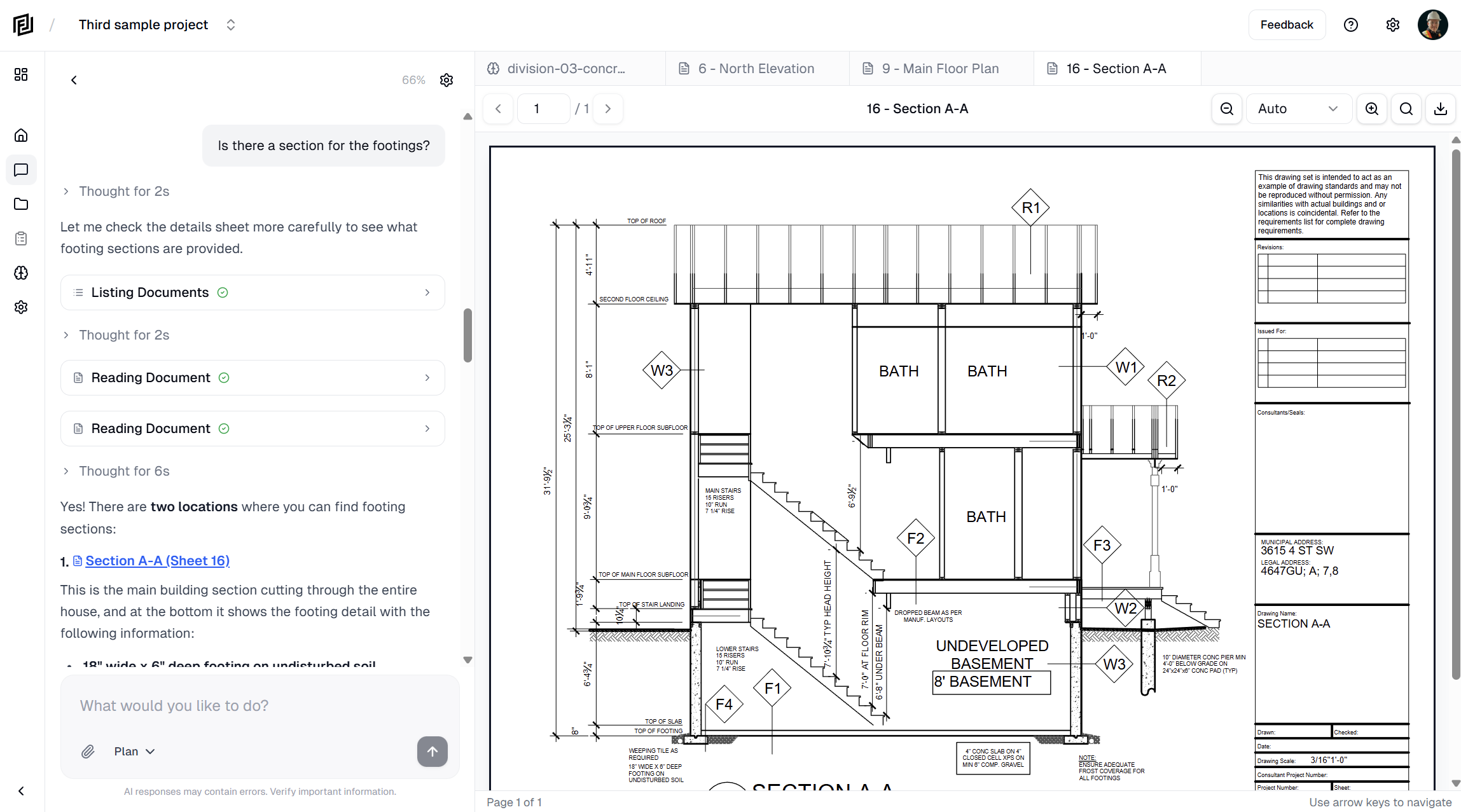
Framework came back in about 15 seconds with the answer, pulled directly from Section 07 21 00 of the specifications. It even noted that there was additional information in the architectural details on drawing A-401.
When I clicked the citation, it took me right to the relevant paragraph. Verified. Accurate.
Doing this manually would’ve taken me at least 8-10 minutes of searching through the spec, assuming I remembered which section thermal insulation falls under.
Question 2: “Where is floor type WD-1 used?”
This one surprised me. WD-1 was referenced in a floor finish schedule on the architectural drawings, but the actual locations were scattered across multiple floor plans. Framework found all of them—three separate locations on two different drawings—and told me exactly where to look.
I spent probably 20 minutes verifying this one manually, just to make sure it didn’t miss anything. It didn’t.
Question 3: “What are the setback requirements for this project?”
Now this was a tricky one because setback info wasn’t actually in the drawings—it was buried in a site survey report that had been included with the permit documents. Framework found it anyway. The AI understood that “setback requirements” could be in different types of documents and searched accordingly.
Question 4: “Is there a conflict between the architectural and structural drawings for the beam at grid line C?”
Okay, this one I was testing the limits. Turns out Framework doesn’t do clash detection in the traditional sense—it can’t overlay drawings and spot conflicts automatically. But it did tell me what each drawing specified for that location, which let me spot the discrepancy myself. Not perfect, but still useful.
What Actually Impressed Me
After a few days of testing, a few things stood out:
The citations are non-negotiable. Every single answer Framework gives includes a direct link to where it found the information. Click it, and you’re looking at the source. This isn’t a black box where you just have to trust the AI—you can verify everything. In an industry where liability matters, this is huge.
It understands construction terminology. When I asked about “the parapet detail,” it knew I meant the roof-to-wall connection, not some random paragraph with the word “parapet” in it. When I asked about “door hardware,” it pulled from Division 08, not a random schedule. This isn’t generic AI that’s been pointed at PDFs—it actually understands our language.
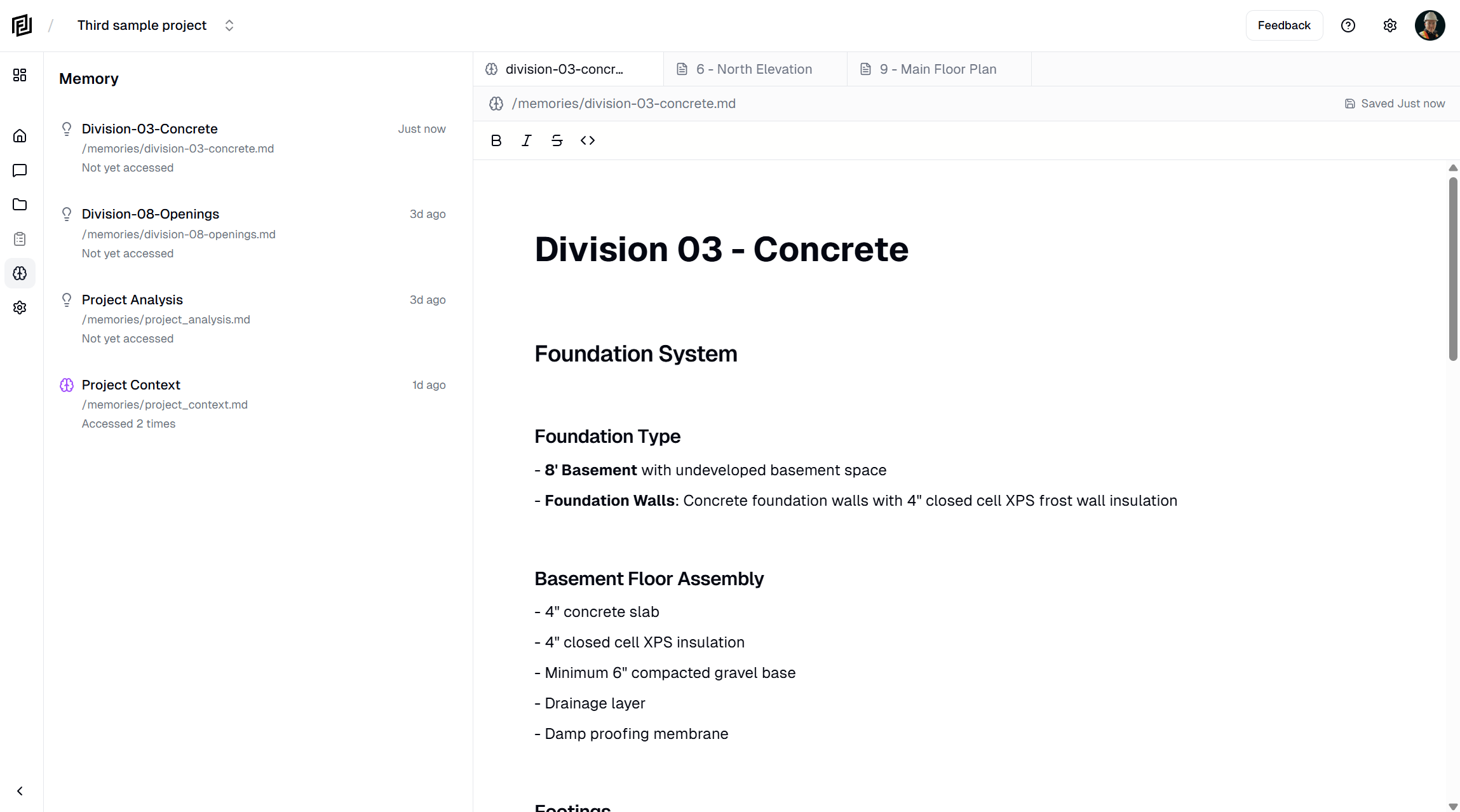
The memory feature is genuinely useful. I asked a question about the mechanical system, then followed up with “what about the electrical requirements for that?” and Framework understood I was still talking about the same system. It maintained context across multiple questions, which saved me from having to re-explain what I was looking for.
It’s fast. Most answers came back in under 20 seconds. A few complex ones took maybe 45 seconds. Compare that to manually searching through a document set, and the time savings add up quickly.
Where It Falls Short
I’m not going to pretend this tool is perfect. There are some legitimate limitations you should know about:
PDF-only for now. If your workflow involves a lot of native CAD files or Revit models, you’ll need to export to PDF first. This isn’t a dealbreaker for most teams I’ve worked with—we’re usually working from PDF sets anyway—but it’s worth knowing.
It can’t replace judgment. This should be obvious, but I’ll say it anyway: Framework is a search tool, not a decision-maker. It’ll find information faster than you can, but you still need to understand what that information means and how to apply it. If you’re hoping AI will just tell you how to build things, that’s not what this is.
New product, still evolving. Framework is still adding features. Things like team permissions and advanced export options are apparently coming, but they’re not there yet. If you’re a large firm with complex permission needs, you might want to wait a few months.
Who Should Actually Use This
Based on my testing, Framework makes the most sense for:
Project managers who spend too much time answering questions. If you’re the person everyone calls when they can’t find something in the documents, Framework could save you hours every week. Answer questions faster, or better yet, give your team access so they can find answers themselves.
Superintendents who need answers on site. Quick questions that used to require a call to the office can now be answered directly from your phone or tablet. “What’s the spec for the concrete?” Check it yourself in 20 seconds.
Estimators and PMs doing takeoffs. When you’re pulling quantities and need to verify specs or finishes, being able to ask “what flooring is in rooms 201-210?” and get an instant answer is a genuine time-saver.
Consultants managing multiple projects. If you’re juggling several projects with different document sets, having a quick way to search each one without opening dozens of files is incredibly useful.
It’s probably overkill for simple projects with a small document set. But once you’re dealing with anything reasonably complex—commercial work, multi-family residential, anything with serious specifications—the value becomes pretty clear.
The Bottom Line
I went into this testing expecting to find another overhyped tech tool that didn’t understand our industry. What I found instead was something that actually does what it promises: it helps you find information faster.
Is it perfect? No. But neither is Ctrl+F, and I’ve been using that for twenty years.
Framework won’t write your RFI responses or tell you how to build a wall assembly. What it will do is find the information you need in a fraction of the time it would take to do it manually. For most of us, that’s enough.
They offer a free trial, so you can test it with your own documents before committing. If you’re spending more than an hour a week searching for information in project documents (and let’s be honest, you probably are), it’s worth fifteen minutes to see if this works for you.
Try it yourself: framework.construction
Have thoughts on AI tools in construction? We’d love to hear about your experience. Drop a comment below or reach out to us directly.