

Weather Tracking Log Template
$4.99
- Track weather every day on your job
- Record the information that matters
- Save time, money and protect your team
Templates are starting points. Adapt them to your contract and to the laws and safety rules where you work. They are not legal advice.
Product FAQ
You will receive your documents and files immediately after you complete the checkout process. You will receive a link on the checkout page as well as via email.
As long as the document remains on Essential Construction you will be able to download it once purchased.
Yes, in most cases (with the exception of stock photography and ebooks) the files you will receive are editable.
We accept debit, all credit cards (Visa, Amex Mastercard etc) as well as payments via Apple Pay, Google Pay and Paypal.
Our return policy varies based on the product, for more information you can find our detailed return policy here.
Our documents are for use on your projects. You may not resell these documents on other marketplaces.
Full Description
This weather chart for construction is a simple daily log for recording the weather on your jobsite and whether it affected the work. Weather is one of the biggest unknowns on any project. A consistent record helps you make decisions on site and gives you the evidence you need if you have to ask for more time.
What is a construction weather log?
A construction weather log, also called a weather chart or weather tracker, is a day-by-day record of site conditions such as sun, rain, snow, wind or extreme heat. For each day it notes whether the weather impacted the work and explains how, for example a cancelled concrete pour or crews sent home. Over a project it builds a factual history that supports schedule updates, delay notices and time extension requests.
When to use it
- Every working day, filled in by the superintendent or foreman alongside the daily report.
- When rain, snow, wind or heat stops or slows outdoor work such as excavation, concrete, roofing or crane lifts.
- When preparing a delay notice or a request for an extension of time.
- For monthly progress reports where the owner or agency asks for a weather chart.
- At project closeout, to explain schedule variances.
What’s included
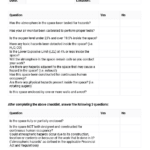
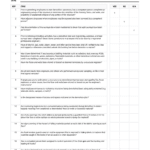
- Day column to log each date on the project.
- Weather for the morning and the afternoon.
- Impact (Y / N) to show whether weather affected the work.
- Explanation of impact to describe what happened.
The template is an Excel spreadsheet (.xlsx), so it also works in other modern spreadsheet software such as OpenOffice.
How to fill it out
- Add the project name, number and month at the top so each sheet is easy to file.
- Record the weather each morning before work starts and again in the afternoon. Use plain terms such as sunny, overcast, light rain, heavy rain, snow or high wind.
- Mark Impact as Y or N. Only mark Y when the weather actually affected planned work.
- Under explanation, state the activity affected, the crew or equipment idle and the hours lost.
- Cross-reference photos and the daily report for days with an impact.
- Review the log weekly and carry any weather days into your schedule update.
Tips
- Fill it in on the day. A log written up weeks later carries far less weight.
- Record conditions on site, not just the city forecast.
- Note ground conditions after heavy rain, as lost days often continue after the rain stops.
- Check your contract for how weather days are defined and what notice period applies.
Related templates and guides
- Construction Delay Notice Letter
- Construction Daily Report Template
- Foreman Daily Log Template
- Guide: Working With Concrete in Cold Weather
- Guide: What to Include in Your Winter Protection Plan
Frequently asked questions
What should a construction weather log include?
At minimum, the date, the weather in the morning and afternoon, whether it affected the work and a short explanation of the impact. Many contractors also note temperature, rainfall, wind, ground conditions, the activities stopped and the hours lost, and keep photos for days with an impact.
Why track weather on a construction site?
Weather affects the schedule, quality and crew safety. A daily record shows which delays were caused by weather rather than by the contractor, helps you plan weather-sensitive work and gives you the facts you need for schedule updates, claims and lessons learned.
Can weather delays extend the contract time?
Often, but it depends on the contract. Many contracts allow extra time for weather that is unusually severe for the season and that delays critical work, and they usually require written notice within a set period. A daily weather log is the supporting evidence.
How often should weather be recorded?
Every working day, at least twice: before work starts and again in the afternoon. If conditions change sharply, such as a storm that stops a pour mid-day, add a note with the time so the record matches what happened on site.
What is the difference between a weather log and a daily report?
A daily report covers everything on site that day: manpower, work done, deliveries, visitors and issues. A weather log tracks one thing across the whole project, which makes it easier to count weather days and see patterns when preparing a delay notice.






Reviews
There are no reviews yet