

Construction Daily Report Template
Use this report to record the events occurring on your project site.
Templates are starting points. Adapt them to your contract and to the laws and safety rules where you work. They are not legal advice.
Product FAQ
You will receive your documents and files immediately after you complete the checkout process. You will receive a link on the checkout page as well as via email.
As long as the document remains on Essential Construction you will be able to download it once purchased.
Yes, in most cases (with the exception of stock photography and ebooks) the files you will receive are editable.
We accept debit, all credit cards (Visa, Amex Mastercard etc) as well as payments via Apple Pay, Google Pay and Paypal.
Our return policy varies based on the product, for more information you can find our detailed return policy here.
Our documents are for use on your projects. You may not resell these documents on other marketplaces.
Full Description
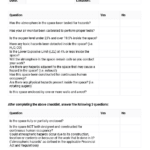
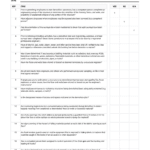
This construction daily report template gives site supervisors a simple, consistent way to record what happened on the jobsite each day. It captures the work done, who was on site, equipment and materials, weather, delays and visitors, so the project has a clear daily record to refer back to.
What is a construction daily report?
A construction daily report, sometimes called a daily log or site diary, is a short record completed at the end of each workday. It notes the work performed, crews and headcount, equipment and materials used, deliveries, weather, delays, meetings, inspections and visitors. Over the life of a project these reports become the main record of site progress. They help with progress tracking, payment applications, change orders and resolving disputes, because they show what actually happened on a given day.
When to use it
- Every workday on site, completed by the superintendent, foreman or site engineer
- When the contract or owner requires daily records to be submitted
- On days with delays, weather stoppages or unexpected site conditions
- When major deliveries arrive or new crews and subcontractors start
- As supporting evidence for change orders, extension of time requests or claims
What’s included
The template is a spreadsheet (.xlsx) with sections to record:
- Work that occurred on site
- Crews on site and names
- Equipment in use
- Materials in use
- Major deliveries
- Project location
- Weather and lighting conditions
- Any major delays
- Meetings that occurred
- Safety inspection and related items
- Visitors to site
How to fill it out
- Enter the project name, location, date and the name of the person completing the report.
- Record the weather and lighting conditions, ideally at the start and end of the shift.
- List each crew or subcontractor on site with names or headcount.
- Describe the work completed by area or activity. Be specific about locations and quantities.
- Note equipment and materials in use and any major deliveries received.
- Record delays, their cause and how long they lasted.
- Add meetings, safety inspections and visitors, including inspectors and owner representatives.
- Review, sign and file the report the same day, and send it to anyone who needs a copy.
Tips
- Write facts, not opinions. Times, quantities and names carry more weight than general comments.
- Complete it every day, including quiet days. Gaps make the record less useful later.
- Take dated photos and refer to them in the report.
- Use the same format across the project so reports are easy to compare.
Related templates and guides
- Foreman Daily Log Template
- Contractors Daily Progress Report
- Weekly Internal Progress Report
- Subcontractors Manpower Tracking Log
- Communication Tips For Construction
Frequently asked questions
How do you write a daily report for construction?
Start with the date, project and weather. Then record who was on site, what work was done and where, equipment and materials used, deliveries, delays, inspections and visitors. Keep entries short and factual, use times and quantities, and complete the report at the end of each shift while details are fresh.
What is the difference between a daily report and a daily log?
The terms are often used the same way. Some teams use daily log for the superintendent’s running notes during the day and daily report for the formal summary sent to the project manager or owner. Either way, the content is similar: work done, labor, equipment, weather, delays and events.
Who fills out the construction daily report?
It is usually completed by the superintendent, site supervisor or foreman, because they see the work first hand. On larger projects, each subcontractor may submit its own daily report to the general contractor, who combines them into the main project record.
How do you make a simple daily report?
Use a fixed template so the same headings appear every day. Fill in only what happened, keep each entry to a line or two, and attach photos where useful. A simple, consistent report that is completed every day is more valuable than a detailed one that is often skipped.
Why are daily reports important on construction projects?
They create a dated record of progress, labor, weather and delays. Project managers use them to track the schedule and costs, and they are often relied on when reviewing change orders, delay claims or disputes, since they show conditions on site on a specific day.





Reviews
There are no reviews yet