

Quantity Takeoff Template
$4.99
- Speed up your quantity takeoffs
- Save time with pre-built equations
- Calculates count, length, area and volume
Templates are starting points. Adapt them to your contract and to the laws and safety rules where you work. They are not legal advice.
Product FAQ
You will receive your documents and files immediately after you complete the checkout process. You will receive a link on the checkout page as well as via email.
As long as the document remains on Essential Construction you will be able to download it once purchased.
Yes, in most cases (with the exception of stock photography and ebooks) the files you will receive are editable.
We accept debit, all credit cards (Visa, Amex Mastercard etc) as well as payments via Apple Pay, Google Pay and Paypal.
Our return policy varies based on the product, for more information you can find our detailed return policy here.
Our documents are for use on your projects. You may not resell these documents on other marketplaces.
Full Description
This construction takeoff template is a quantity takeoff spreadsheet that speeds up the first step of every estimate. Log each item from the drawings with its measurements, and the pre-built equations calculate count, length, area and volume for you, which cuts down on calculator errors.
What is a quantity takeoff?
A quantity takeoff, also called a material takeoff, is the process of measuring and counting the materials and items shown on construction drawings. It produces a list of quantities, such as cubic yards of concrete, square feet of drywall or the number of doors, that the estimator then prices. A takeoff is a fundamental part of the estimating process, and an accurate one is the basis for a reliable bid, budget and material order.
When to use it
- Starting an estimate from a new set of drawings
- Pricing a bid or a subcontract package
- Preparing material orders for the site
- Checking quantities in a bill of quantities or a subcontractor’s quote
- Pricing changes when revised drawings are issued
What’s included
The template is a spreadsheet (.xlsx) that works with modern spreadsheet software, including Microsoft Excel, Google Sheets and OpenOffice. It includes columns for:
- Item
- Item description
- Count
- Length
- Width
- Height
The spreadsheet also calculates:
- Count
- Length (perimeter)
- Area
- Volume
How to fill it out
- Review the drawings and specifications and decide how you will break the work down, for example by trade or by area.
- Enter each item and a clear description, including the drawing or detail reference.
- Measure the item on the drawings and enter the count, length, width and height that apply.
- Check the calculated length, area or volume against a quick manual check for the first few rows.
- Use consistent units throughout the sheet.
- Add allowances for waste and laps when you convert quantities into orders.
- Have another person review the takeoff before you price it.
Common mistakes to avoid
- Mixing units, such as feet and inches or meters and millimeters, in the same column.
- Measuring from out-of-date drawings. Note the revision you used.
- Double counting items that appear on more than one sheet.
- Adding waste factors to the takeoff itself instead of to the order quantity.
Related templates and guides
- Rebar Takeoff
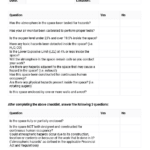
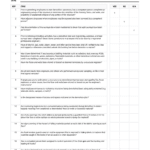
- Quantity Takeoff Quality Checklist
- Bill of quantities
- Quantity Calculator – Concrete, Steel and Brick
- Guide To Construction Estimating
Frequently asked questions
What is a takeoff in construction?
A takeoff is the list of quantities measured from the drawings, such as lengths of pipe, areas of flooring or volumes of concrete. The estimator uses it to price materials and labor. The term comes from ‘taking off’ quantities from the plans.
What is the difference between a quantity takeoff and a bill of quantities?
A quantity takeoff is the working measurement an estimator makes. A bill of quantities is a formal document that lists the measured quantities in a standard order, often prepared by a quantity surveyor and issued to bidders for pricing.
How do you calculate quantities in Excel?
Enter the dimensions in separate columns and use formulas: length plus width times two for perimeter, length times width for area, and length times width times height for volume. This template has those formulas built in, so you only enter the measurements.
Can I use this takeoff template in Google Sheets?
Yes. The spreadsheet works with modern spreadsheet software, including Microsoft Excel, Google Sheets and OpenOffice. After you open the file in your program, check that the formulas still calculate correctly by testing a row with simple numbers.
How accurate does a quantity takeoff need to be?
As accurate as the drawings allow. Small errors repeat across a project and can add up to large cost differences. Use the latest drawings, keep units consistent and have a second person check key quantities.






Store.Construction (store manager) –
Perfect – exactly what I needed
Samuel Pitia (verified owner) –
No comment