

Drawing Issue Register
$4.99
Templates are starting points. Adapt them to your contract and to the laws and safety rules where you work. They are not legal advice.
Product FAQ
You will receive your documents and files immediately after you complete the checkout process. You will receive a link on the checkout page as well as via email.
As long as the document remains on Essential Construction you will be able to download it once purchased.
Yes, in most cases (with the exception of stock photography and ebooks) the files you will receive are editable.
We accept debit, all credit cards (Visa, Amex Mastercard etc) as well as payments via Apple Pay, Google Pay and Paypal.
Our return policy varies based on the product, for more information you can find our detailed return policy here.
Our documents are for use on your projects. You may not resell these documents on other marketplaces.
Full Description
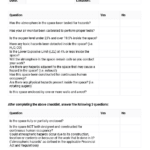
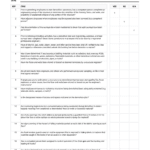
This drawing issue register is a spreadsheet for logging and tracking the issues found when you review drawings during design. It keeps every comment, conflict and question in one list, so nothing identified in a drawing review gets lost before the drawings are issued for construction.
What is a drawing issue register?
A drawing issue register is a log of problems and comments found during drawing and design reviews. Each entry records the drawing number, what the issue is, who raised it, who must resolve it and its status. It is a quality control tool used in the design stage. The term is also used, especially in the UK, for a drawing register or issue sheet: a list of drawings showing revisions and when each was issued. This template is the review issue log; see the related links for a drawing list register.
When to use it
- Internal design reviews before drawings go to the client
- Constructability and coordination reviews by the contractor
- Checking consultant drawings against each other for clashes
- Pre-tender document reviews by estimators
- Tracking comments until the next drawing revision is issued
What’s included
The download is a spreadsheet (.xlsx) drawing issue register for keeping track of the issues identified during drawing reviews. Use it from the early design stage onward as part of your quality control process, adding a line for each issue and updating it until the issue is closed.
How to fill it out
- Enter the project name and the drawing set or revision being reviewed.
- For each issue, record the drawing number, sheet or detail and a clear description.
- Note who raised the issue and the discipline or consultant responsible for fixing it.
- Set a priority and a target date, especially for anything that affects cost or schedule.
- Update the status as responses come back, and note the drawing revision that closes each issue.
- Review open items at each design meeting until the list is clear.
Tips
- Write one issue per line so each can be tracked and closed.
- Use the drawing number exactly as it appears on the title block.
- Turn open issues that need a contractor answer into RFIs once construction starts.
- Keep closed items in the register as a record of design decisions.
Related templates and guides
- Drawing register template – list of drawings and revisions
- Transmittal of drawings, documents and reports
- RFI log template
- Design templates
- Controlling quality on the construction site
Frequently asked questions
What is a drawing register in construction?
A drawing register is a list of all drawings on a project, usually showing the drawing number, title, scale, current revision and the dates each revision was issued and to whom. It helps everyone confirm they are working from the latest drawings.
What is the difference between a drawing register and a drawing issue register?
A drawing register lists the drawings themselves and their revisions. A drawing issue register, in the sense used for this template, lists problems found when reviewing the drawings. Some firms also use issue register to mean the issue sheet that records when drawings were sent out.
How do you create a drawing register?
List every drawing by number and title, grouped by discipline. Add columns for scale, size, current revision and status, and a column for each issue date showing the revision sent. Update it every time a drawing is revised or issued, and keep it with your transmittals.
Who maintains the drawing issue register?
Usually the design manager, project architect or document controller on the design side, or the project engineer on the contractor side. Whoever owns it should update statuses after each review and share it with the consultants who need to respond.
Why track drawing review issues in a register?
Comments made in meetings or emails are easy to lose. A register shows what was found, who is fixing it and what is still open, which reduces errors and RFIs during construction and gives you a record of how design issues were resolved.









Reviews
There are no reviews yet