

Request for Information (RFI) Excel Template
$0.00
- Ask questions on a construction site
- Provide deadlines and information for RFIs
- Professional correspondence that complies with industry standards
Templates are starting points. Adapt them to your contract and to the laws and safety rules where you work. They are not legal advice.
Product FAQ
You will receive your documents and files immediately after you complete the checkout process. You will receive a link on the checkout page as well as via email.
As long as the document remains on Essential Construction you will be able to download it once purchased.
Yes, in most cases (with the exception of stock photography and ebooks) the files you will receive are editable.
We accept debit, all credit cards (Visa, Amex Mastercard etc) as well as payments via Apple Pay, Google Pay and Paypal.
Our return policy varies based on the product, for more information you can find our detailed return policy here.
Our documents are for use on your projects. You may not resell these documents on other marketplaces.
Full Description
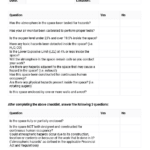
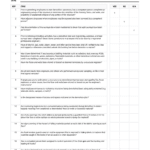
This RFI template for Excel is an industry-standard request for information form for construction projects. Use it to ask the architect and engineers clear questions, propose a solution, set a response deadline and keep the answer on record.
What is an RFI in construction?
An RFI, or request for information, is a formal written question sent by a contractor or subcontractor to the design team or owner when the drawings or specifications are unclear, conflict, or are missing information. It describes the issue, often proposes a solution, and asks for a written answer by a set date. RFIs keep questions and answers on record, so the work is built as intended and any cost or schedule impact is documented.
When to use it
- Drawings and specifications conflict or do not match site conditions
- A detail, dimension or product is missing from the documents
- You want to propose an alternative method or material
- A coordination clash between trades needs a design decision
- You need written confirmation of a verbal answer from the design team
What’s included
- Excel request for information template (.xlsx)
- RFI question
- Proposed solution
- RFI response
- Assigned to
- Created by
- Date issued and date due
- Other fields for tracking the RFI
How to fill it out
- Give the RFI a unique number and enter the project details.
- Write one clear question per RFI and reference the drawing, detail or specification section.
- Add a proposed solution so the designer can simply approve it if it works.
- Enter who the RFI is assigned to, who created it, the date issued and the date a response is due.
- Attach marked-up drawings or photos where they help explain the issue.
- When the answer comes back, record the response and any cost or schedule impact, then share it with the trades affected.
Tips for writing a good RFI
- Check the documents first; RFIs answered by the drawings waste everyone’s time.
- Keep it to one issue so it can be answered and closed quickly.
- Set a realistic due date that matches when you actually need the answer on site.
- Track every RFI in a log so nothing is left open.
Related templates and guides
- RFI log template – track all your RFIs
- Construction RFI workflow template
- Construction administration templates
- RFI in construction: what it is and how to write one
Frequently asked questions
What should be included in a construction RFI?
An RFI number, project name, date issued, who it is from and to, a clear question, references to drawings or specifications, a proposed solution if you have one, the date a response is needed, and space for the answer and any cost or schedule impact.
Who answers an RFI?
The RFI goes to the party responsible for the design information, usually the architect or engineer, often through the general contractor or the owner’s representative. The response should come back in writing so it can be shared with everyone affected.
How long does an RFI response take?
Your contract or specifications may set a response time, and many teams agree on a standard turnaround at the start of the project. Put a due date on every RFI that matches when you actually need the answer on site.
Can an RFI change the contract price?
An RFI itself is a question, not a change. But if the answer adds work, changes the design or causes a delay, it can lead to a change order or variation. Note potential cost or time impact on the RFI so it can be followed up.
What is the difference between an RFI form and an RFI log?
An RFI form records one question and its answer in detail. An RFI log is a list of all RFIs on the project with their numbers, dates, who they are assigned to and status, so you can see what is still open.





Max Stevens (verified owner) –