
Construction Cost Estimate Template – Excel
$60.00
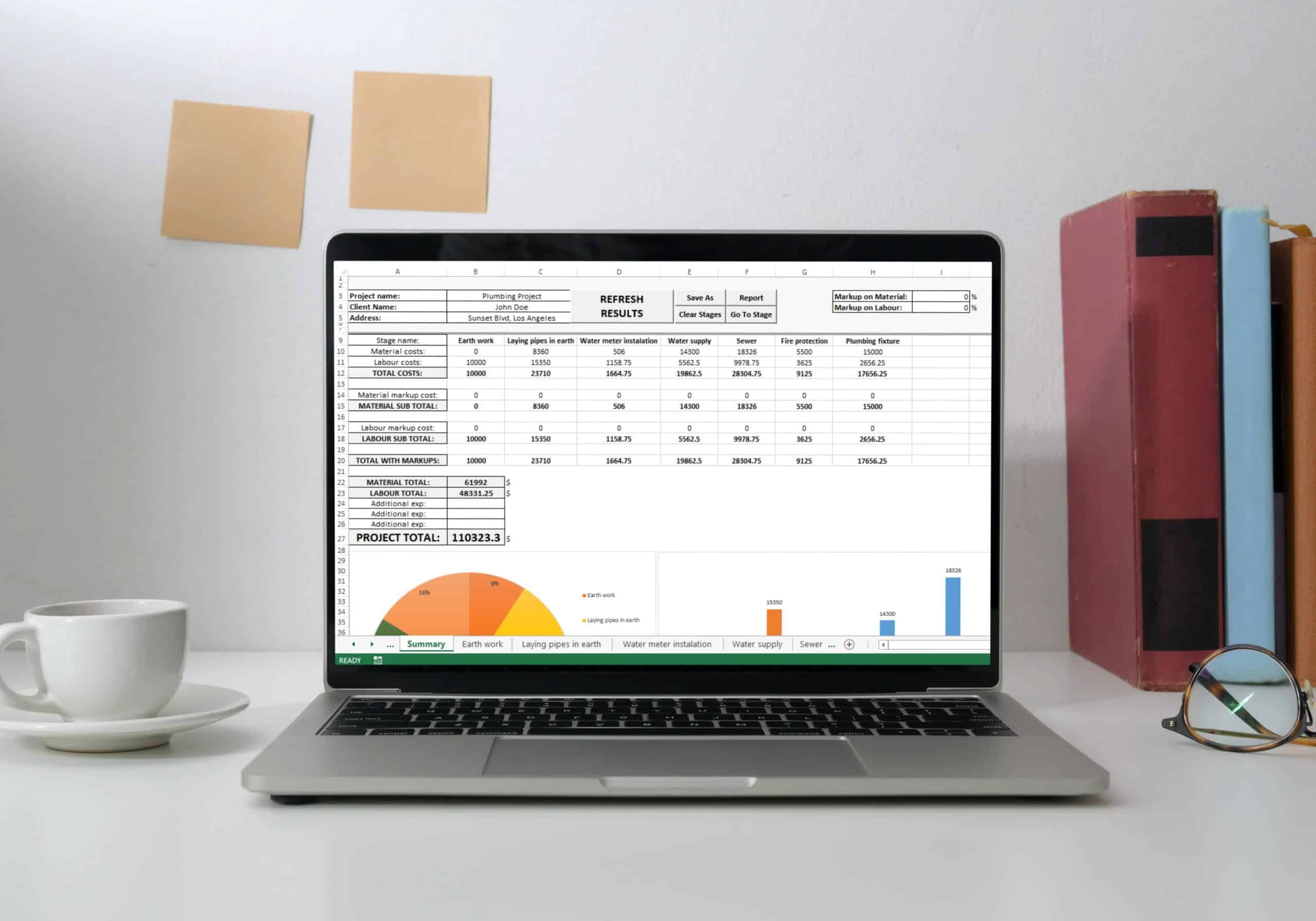
MB Estimating Spreadsheet is an Excel-based, construction project cost estimate template, useful for any industry and any type of project. Project planners, managers, estimators, organizers, designers can have a huge benefit from it.
Templates are starting points. Adapt them to your contract and to the laws and safety rules where you work. They are not legal advice.
Product FAQ
You will receive your documents and files immediately after you complete the checkout process. You will receive a link on the checkout page as well as via email.
As long as the document remains on Essential Construction you will be able to download it once purchased.
Yes, in most cases (with the exception of stock photography and ebooks) the files you will receive are editable.
We accept debit, all credit cards (Visa, Amex Mastercard etc) as well as payments via Apple Pay, Google Pay and Paypal.
Our return policy varies based on the product, for more information you can find our detailed return policy here.
Our documents are for use on your projects. You may not resell these documents on other marketplaces.
Full Description
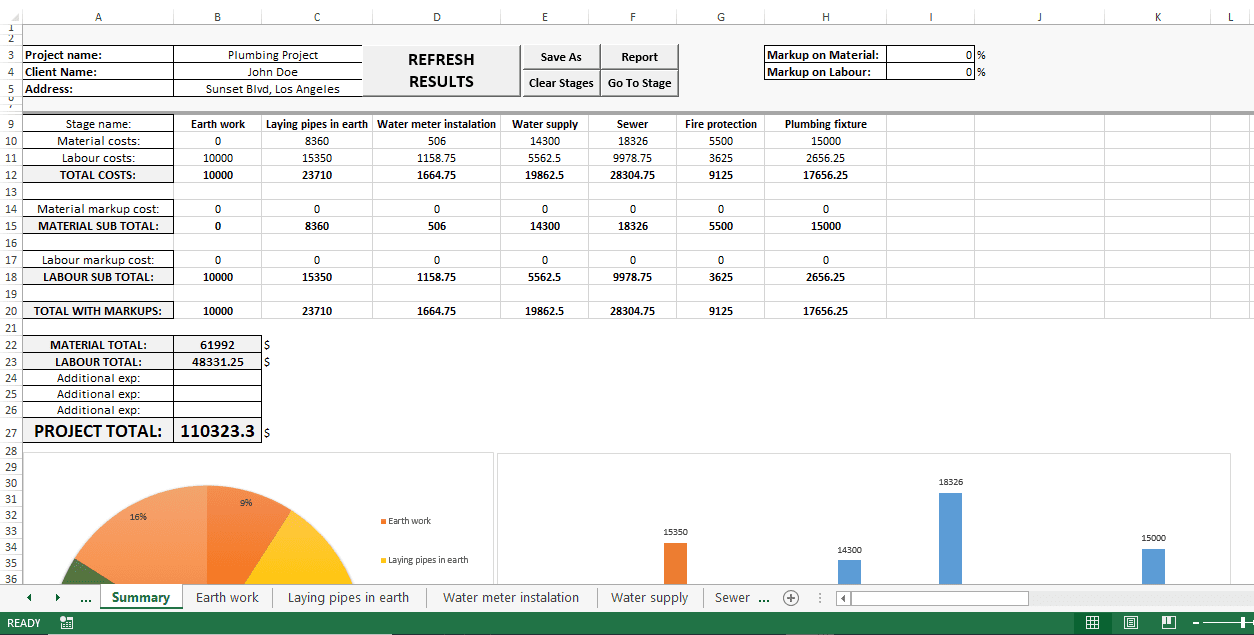
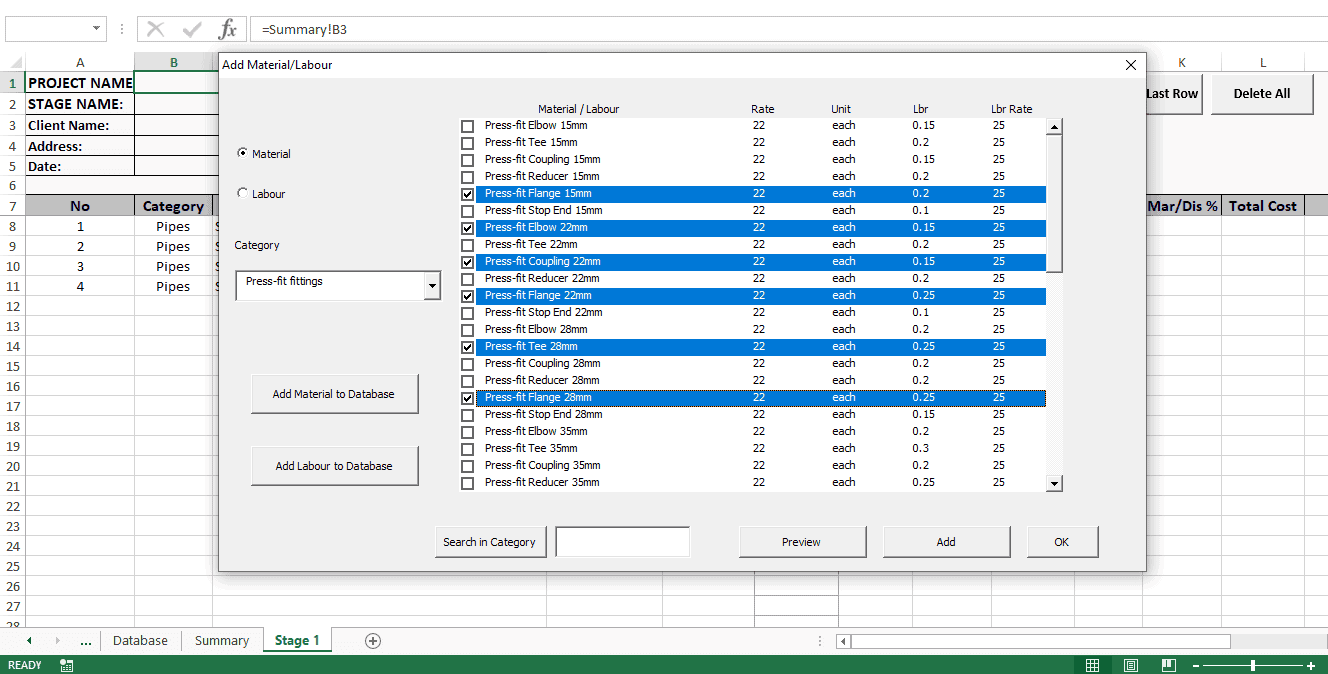
This construction cost estimate template for Excel combines the simplicity of a spreadsheet with features usually found in estimating software: a reusable cost database, separate sheets for each project phase and automatic reports. Use it for estimates, bids, quotes and cost analysis on any type of project.
What is a construction cost estimate template?
A construction cost estimate template is a pre-built spreadsheet for pricing a project. You enter quantities, pick materials and labor, and the template totals the cost for each part of the work. A good template lets you reuse your own unit costs, split the job into phases and compare options, so each new estimate is faster and more consistent than starting from a blank sheet.
When to use it
- Preparing a bid or quote for a client or general contractor.
- Building a budget estimate during design or preconstruction.
- Comparing different ways to do the same job, with different materials, equipment or crew types.
- Breaking a large project into stages and seeing the cost of each one.
- Building your own database of material and labor costs for future estimates.
What’s included
- An Excel workbook that opens with four tabs: Instructions, Database, Summary and Stage 1.
- A database of around 200 common construction materials and labor items covering demolition and sitework, concrete, masonry, metal, structural wood, roof and insulation, doors and windows, and walls and finishes.
- Labor coefficients in man-hours per unit, so labor cost can be calculated automatically.
- Room to grow the database to over 1,000,000 rows of your own items.
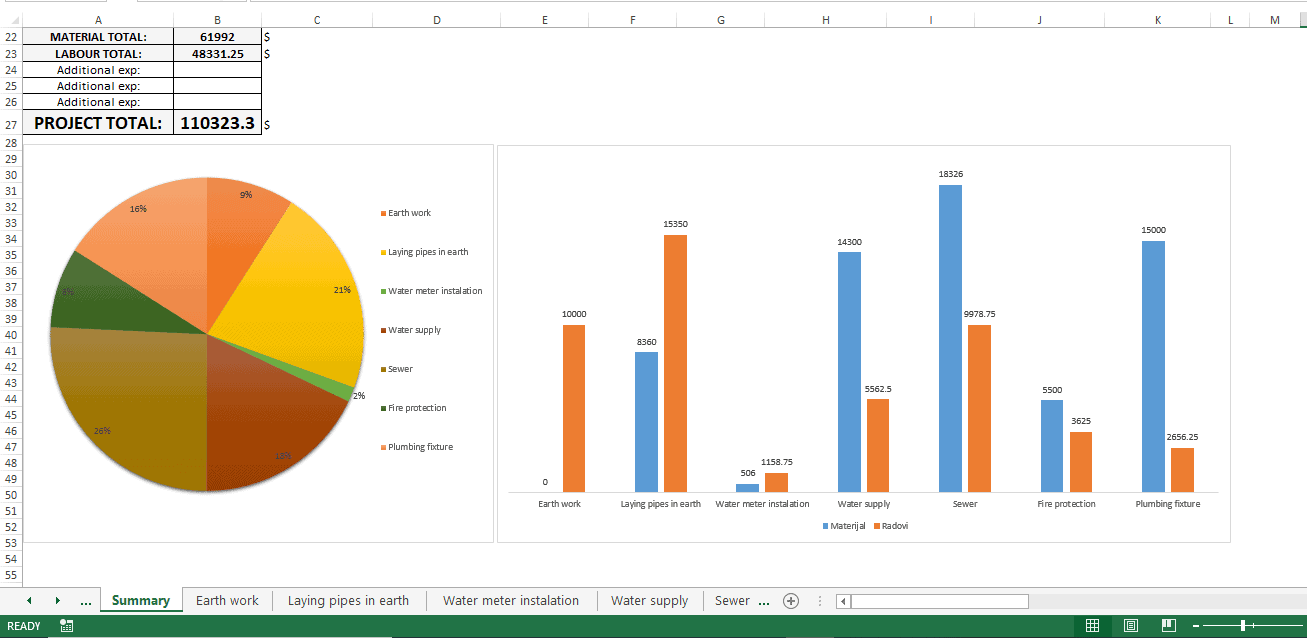
- Unlimited project phases, each on its own sheet, with an overview on the Summary sheet.
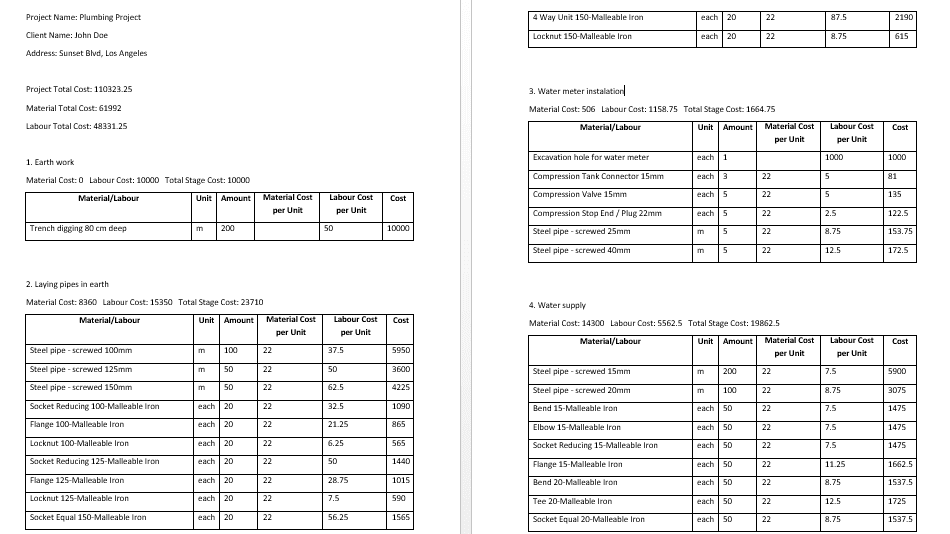
- Two types of report that the template creates automatically.
- Works with Excel 2007 or later on Windows and Excel for Mac 2016 or later. Macros must be enabled.
How to fill it out
- Open the file, enable macros and read the Instructions sheet.
- Review the Database sheet. Update unit costs and labor rates to match your market, and add your own items.
- Use the Stage 1 sheet to build the estimate for the first phase by pulling items from the database and entering quantities.
- Add a new stage sheet for each additional phase of the project.
- Go to the Summary sheet to review totals and run the main commands.
- Create a report to share with your client or team.
Tips
- Keep the database current. Old prices are the main reason estimates miss.
- Price alternatives as separate stages so you can compare them side by side.
- Add contingency and markup as clear line items so they are easy to review.
Related templates and guides
- Quantity Takeoff Template to measure quantities before you price them.
- Construction Estimate Comparison Template to compare prices and options.
- Guide To Construction Estimating
- Contingency (glossary)
Frequently asked questions
Can I use Excel for construction estimating?
Yes. Excel is widely used for estimating because it is flexible and most people already know it. The usual limits are no cost database, no phase breakdown and manual reporting. This template adds a database, separate phase sheets and automatic reports while keeping the normal Excel tools.
Does this estimating template work on a Mac?
Yes. It works with Excel for Mac 2016 and later, as well as Excel 2007 and later on Windows. Macros need to be enabled. On some recent Mac versions, the first report in a session may open as an empty file if Word is not open; clicking Report again creates it normally.
What is a labor coefficient in an estimate?
A labor coefficient is the time needed to install one unit of material, usually in man-hours. Multiply it by the quantity and your labor rate to get labor cost. The database in this template includes labor coefficients, so labor can be calculated automatically when you add material items.
How do I make a construction estimate in Excel?
Start from the drawings and scope. Take off quantities, list each item with its unit, apply material and labor unit costs, and add equipment, subcontractor prices, overhead, contingency and profit. A template with a cost database speeds this up because you pick items instead of typing prices each time.




Ramario Hunte –
Totally resourceful, fully detailed and productivity oriented.
John Bosch –
Huge time saver, very simple to use but highly automated and very effective. Highly Recommend!
Michael J. Bautista –
Very useful template.
Tara Christenson –
Helped us with speeding up process of creating remodeling quotes.
Dave R. –
Excellent template, exactly what I was looking for.
Uroš Vuković –
Very usefull, great template. Huge time saver!
Besoviti –
One of the best excel template…
Nikola –
Useful template
Mike –
thank you sir, you saved my life!
Jovan C –
Excellent useful template
Aron Shapiro –
sorry, I accidentally put 3 stars
Bogdan Jovanovic –
Nice and tidy template, it saved a lot of time!
Concepcion BERGES –
Useful.
Milos Vojvodic –
Good!
Mel T. –
Great template!
Baston mfune –
Useful
Joshua Baley –
Exactly what I was looking for. We do not do a lot of construction projects where I work, but we are required to submit a large number of ROMs. Thank you.