

Manpower Planner Template
$4.99
Templates are starting points. Adapt them to your contract and to the laws and safety rules where you work. They are not legal advice.
Product FAQ
You will receive your documents and files immediately after you complete the checkout process. You will receive a link on the checkout page as well as via email.
As long as the document remains on Essential Construction you will be able to download it once purchased.
Yes, in most cases (with the exception of stock photography and ebooks) the files you will receive are editable.
We accept debit, all credit cards (Visa, Amex Mastercard etc) as well as payments via Apple Pay, Google Pay and Paypal.
Our return policy varies based on the product, for more information you can find our detailed return policy here.
Our documents are for use on your projects. You may not resell these documents on other marketplaces.
Full Description
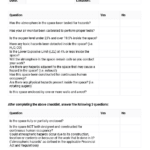
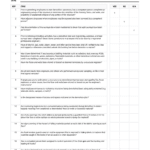
This manpower schedule template helps field staff plan how many people they need on the jobsite each day of the week, and who will be doing what. List the key tasks, assign supervisors and their crews, and see your whole site’s manpower requirements on a single spreadsheet.
What is a manpower schedule?
A manpower schedule, sometimes called a manpower loading schedule or manpower plan, shows how many workers of each trade or crew are needed on a project over a set period. It links people to the tasks on the construction schedule so supervisors can see where labor will be short or overloaded. On site it is usually kept as a weekly plan and updated as the work and the look-ahead schedule change.
When to use it
- At the weekly planning meeting, to set crew sizes for the coming week
- When a new phase or trade starts and you need to build up crews
- To balance labor between areas, floors or work fronts
- When subcontractors need to confirm how many people they will send
- To check manpower against your look-ahead schedule before committing dates
- When reporting planned versus actual manpower to the project manager or client
What’s included
The download is an Excel spreadsheet (.xlsx) for weekly manpower planning. It is set up so you can:
- List the key tasks that need to be completed during the week
- List the supervisors responsible for each task
- List the people who will be working on each supervisor’s crew
- Map out the jobsite’s manpower requirements on one sheet
How to fill it out
- Start from your current look-ahead schedule and list the tasks planned for the week.
- Assign a supervisor or foreman to each task.
- Add the names or trades of the workers on each crew.
- Enter how many people are needed for each task on each day.
- Total the daily headcount and compare it with the labor you actually have available.
- Move people between tasks, or ask subcontractors for more, where the plan shows a gap.
- Share the plan with supervisors and update it at the end of each week with actual numbers.
Tips
- Plan manpower from the schedule, not the other way round. Crews should follow the work sequence.
- Watch for peaks. Very high headcounts for a few days often mean congestion and lost productivity.
- Include subcontractor crews, not just your own forces, so site facilities and safety coverage are planned properly.
- Keep last week’s actuals. They are your best guide for the next estimate.
Related templates and guides
- Staff Histogram and Manpower Loading Chart – show headcount over the whole project.
- Subcontractors Manpower Tracking Log – record actual daily manpower by trade.
- Weekly Lookahead Planner – the short-term schedule your manpower plan is based on.
- Manpower Monitoring
- Fundamentals Of Construction Scheduling
Frequently asked questions
What is manpower loading in construction?
Manpower loading means assigning the number of workers needed to each activity and adding them up over time. The result, often shown as a histogram or loading chart, shows how headcount rises and falls through the project. It helps you spot peaks, plan site facilities and check that the schedule is realistic for the labor available.
How do you prepare a manpower schedule?
Start with the construction schedule and the quantities of work. Estimate the crew size and duration for each task, then spread the workers across the days or weeks the task runs. Total the numbers for each period, smooth out any unrealistic peaks, and review the plan with supervisors and subcontractors.
What is the difference between a manpower schedule and a manpower histogram?
A manpower schedule is the detailed plan: tasks, crews, names and daily numbers. A manpower histogram is a chart that summarizes total headcount over time. Site teams usually work from the weekly schedule, while project managers use the histogram to review the overall labor curve.
How often should a manpower plan be updated?
Weekly is common for site-level plans, usually alongside the look-ahead schedule review. Update it sooner if the schedule changes, a subcontractor cannot supply the agreed crew, or weather or delays shift the work. Recording actual numbers each week makes the next plan more accurate.






Reviews
There are no reviews yet