
Lien Waiver Forms – Conditional and Unconditional
$4.99
- All four lien waivers in one Word file: conditional and unconditional, progress and final
- Fields for amount, through date and exceptions on every form
- Waiver tracking log for subs and suppliers on each draw
Templates are starting points. Adapt them to your contract and to the laws and safety rules where you work. They are not legal advice.
Product FAQ
You will receive your documents and files immediately after you complete the checkout process. You will receive a link on the checkout page as well as via email.
As long as the document remains on Essential Construction you will be able to download it once purchased.
Yes, in most cases (with the exception of stock photography and ebooks) the files you will receive are editable.
We accept debit, all credit cards (Visa, Amex Mastercard etc) as well as payments via Apple Pay, Google Pay and Paypal.
Our return policy varies based on the product, for more information you can find our detailed return policy here.
Our documents are for use on your projects. You may not resell these documents on other marketplaces.
Full Description
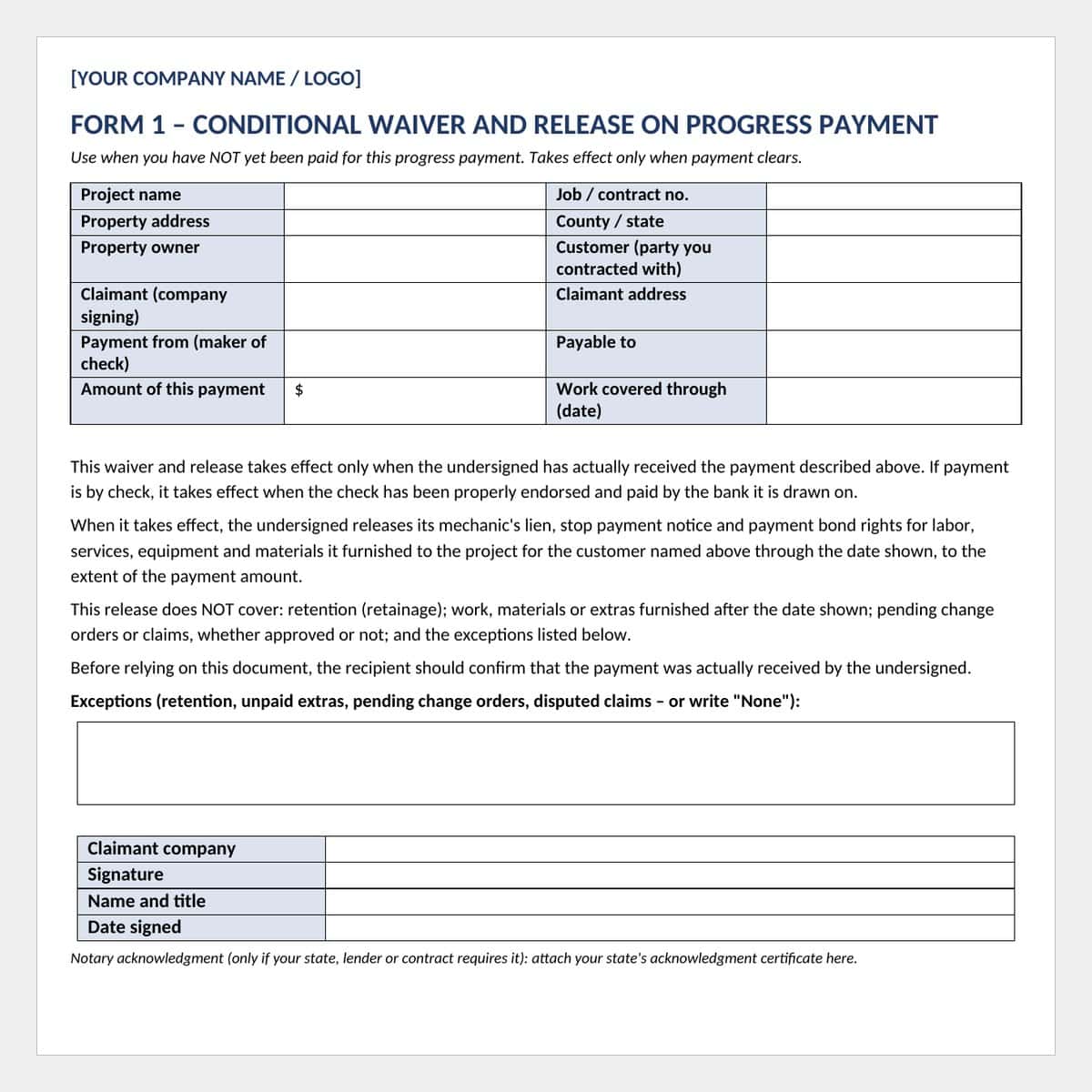
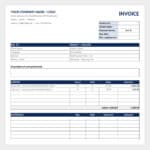
This lien waiver form template gives you all four common waivers in one Word document: conditional and unconditional, for progress payments and for final payment. Each form has fields for the project, owner, customer, payment amount, through date and exceptions, and a tracking log helps you collect waivers from every sub and supplier with each draw.
What is a lien waiver?
A lien waiver (also called a lien release) is a signed document in which a contractor, subcontractor or supplier gives up some or all of its right to file a mechanic’s lien against a property, usually in exchange for a payment. Owners, lenders and general contractors collect them with each pay application so they have proof that the people who worked on the job were paid. Read our guide to lien waivers in construction for the full pay-cycle walkthrough.
When to use it
- With every monthly pay application or draw request on a project
- When a lender or title company asks for waivers before releasing construction loan funds
- When a general contractor collects waivers from subcontractors and suppliers
- At closeout, when final payment and retention are released
Which form do I need?
| Not paid yet | Already paid (funds cleared) | |
|---|---|---|
| Progress payment | Form 1: Conditional waiver on progress payment | Form 2: Unconditional waiver on progress payment |
| Final payment | Form 3: Conditional waiver on final payment | Form 4: Unconditional waiver on final payment |
A conditional waiver only takes effect once the payment is actually received. An unconditional waiver is effective as soon as it is signed, so sign it only after the money has cleared.
What’s included
The download is an editable Word document (.docx), 6 pages:
| Page | What it does |
|---|---|
| How to use | Form selector table, cautions on state statutory forms, step-by-step instructions |
| Forms 1 to 4 | One page each: project and party details, payment amount, through date, release wording, what is not covered, exceptions box, signature block and optional notary note |
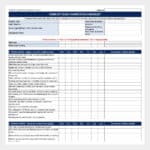
| Waiver tracking log | 18 rows to record each claimant, form type, through date, amount, exceptions and date received for every draw |
How to fill it out
- Pick the form from the table above: conditional or unconditional, progress or final.
- Enter the project, property address, owner and the customer you contracted with, exactly as on your contract.
- Enter the payment amount and the “work covered through” date that matches your pay application or invoice.
- On conditional forms, enter who the check is from and who it is payable to.
- List every exception, such as retention, unpaid extras, pending change orders and disputed amounts, or write “None”.
- Sign, print your name and title, and date the form. Add a notary acknowledgment only if your state, lender or contract requires one.
- Record the waiver on the tracking log and file it with the pay application.
Check your state’s rules first
Some states set their own required waiver wording. In California a waiver must substantially follow the statutory forms in Civil Code sections 8132 to 8138 (CSLB). In Arizona a waiver is unenforceable unless it substantially follows the forms in A.R.S. 33-1008. In Florida nobody may require a lienor to sign a waiver that differs from the forms in Fla. Stat. 713.20, and lien rights cannot be waived in advance. On projects in states with statutory forms, use the state’s form. These templates are a practical starting point, not legal advice.
Tips
- Never sign an unconditional waiver for a payment you have not received. Send the conditional form with your pay application instead.
- Match the through date to the pay period, so later work and retention stay protected.
- Collect waivers from lower tiers too. Paying the general contractor does not guarantee that subcontractors and suppliers were paid.
- Keep signed originals with the matching pay application and check copy.
Related templates and guides
- Draw Request Cover Letter to send with your draw package
- Contractor Application For Progress Payment
- Final Payment Certificate for closeout
- Release of Labour Lien Letter to document a lien that has been paid
- What is a lien waiver? and what is retainage?
Frequently asked questions
Is a lien waiver the same as a lien release?
The terms are often used interchangeably. Both describe a signed document giving up lien rights in exchange for payment. Some people use “lien release” for a document that removes a lien already filed, which is what the Release of Labour Lien Letter covers.
What is the difference between a conditional and unconditional lien waiver?
A conditional waiver only takes effect once you are actually paid, for example when your check clears. An unconditional waiver takes effect when you sign it, whether or not you have been paid.
Do lien waivers need to be notarized?
Not always. It depends on the state, the lender and your contract. The forms include a note where a notary acknowledgment can be attached if one is required.
Can I use these forms in California, Arizona or Florida?
Those states publish statutory waiver forms, so use the state’s own wording there. You can still use the tracking log and the instructions to manage your waivers.
Is this template free?
It is a paid template at the price shown on this page, or you can download it free with a 14-day membership trial.


Reviews
There are no reviews yet