

Filing Register
Templates are starting points. Adapt them to your contract and to the laws and safety rules where you work. They are not legal advice.
Product FAQ
You will receive your documents and files immediately after you complete the checkout process. You will receive a link on the checkout page as well as via email.
As long as the document remains on Essential Construction you will be able to download it once purchased.
Yes, in most cases (with the exception of stock photography and ebooks) the files you will receive are editable.
We accept debit, all credit cards (Visa, Amex Mastercard etc) as well as payments via Apple Pay, Google Pay and Paypal.
Our return policy varies based on the product, for more information you can find our detailed return policy here.
Our documents are for use on your projects. You may not resell these documents on other marketplaces.
Full Description
This filing register gives your jobsite a simple construction filing system for tracking the documents that come in and where each one is stored. A lot of paperwork moves through a construction site, and a consistent register means anyone on the team can find a drawing, letter or report when they need it.
What is a filing register?
A filing register is an index of a project’s files. It lists each file or folder with a reference number, a description of what it holds and where it is kept, whether that is a physical binder in the site office or a folder on a shared drive. On a construction project, the register sets out the filing structure for documents such as contracts, drawings, correspondence, submittals, RFIs, reports and safety records, so documents are stored the same way on every site.
When to use it
- Setting up the site office and project folders at mobilization
- Standardizing how documents are filed across several projects or sites
- Handing a project over to a new project manager or coordinator
- Preparing for an audit, claim or dispute where records must be found quickly
- Collecting documents for closeout and turnover
What’s included
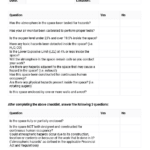
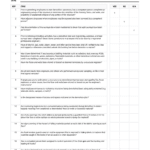
The filing register is a spreadsheet for construction sites. It helps you identify the documents coming into the site and record where they are stored, so you can build and maintain a consistent filing system for each project.
How to fill it out
- Agree the main file categories for the project, for example contract, correspondence, drawings, specifications, submittals, RFIs, changes, meetings, safety, quality and closeout.
- Give each category and sub-file a reference number.
- Enter a short description of what each file holds.
- Record the storage location, such as the binder, cabinet or shared drive folder.
- Log new documents against the correct file as they arrive on site.
- Mirror the same structure in your digital folders so paper and electronic files match.
- Review the register regularly and update it when files are added, moved or archived.
Tips
- Keep the file numbering the same on every project. Staff then know where to look on any site.
- Assign one person to own the register and the filing.
- Use clear labels on binders and folders that match the register.
- Remove superseded drawings from working sets, but archive them rather than throwing them away.
Related templates and guides
- Filing Labels
- Example Project Filing Procedures
- Contract Document Log Template
- Drawing Register – Template
- Construction Transmittal Template
Frequently asked questions
How do you organize construction project files?
Set up a fixed list of file categories at the start of the project, number them, and record each one in a filing register with its storage location. File documents as soon as they arrive, keep paper and digital structures the same, and give one person responsibility for keeping the system up to date.
What folders should a construction project have?
Common folders include contract and insurance, correspondence, drawings, specifications, submittals, RFIs, change orders, meeting minutes, schedules, daily reports, safety, quality and inspections, permits, invoices and payments, and closeout. Adjust the list to your company, contract and the size of the project.
What is the difference between a filing register and a document register?
A filing register describes the filing structure: what files exist and where they are kept. A document register, such as a drawing register or transmittal log, tracks individual documents, their revisions and who received them. Most projects use both together.
How long should construction project records be kept?
It depends on your contract, local laws, tax rules and insurer requirements, and some records must be kept for many years after completion. Check the retention periods that apply to your company and projects, and record them in your filing procedures.
Should construction files be paper or digital?
Most contractors now keep files digitally, with paper copies on site for drawings, permits and safety documents that crews need to see. Whichever you use, keep the same structure and numbering in both so documents can be found quickly.





Reviews
There are no reviews yet