

Material Approval Form – Register
$4.90
Material approval form register keeps the track for all the material approval forms (MAF).
Templates are starting points. Adapt them to your contract and to the laws and safety rules where you work. They are not legal advice.
Product FAQ
You will receive your documents and files immediately after you complete the checkout process. You will receive a link on the checkout page as well as via email.
As long as the document remains on Essential Construction you will be able to download it once purchased.
Yes, in most cases (with the exception of stock photography and ebooks) the files you will receive are editable.
We accept debit, all credit cards (Visa, Amex Mastercard etc) as well as payments via Apple Pay, Google Pay and Paypal.
Our return policy varies based on the product, for more information you can find our detailed return policy here.
Our documents are for use on your projects. You may not resell these documents on other marketplaces.
Full Description
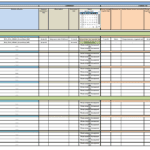
This material approval register keeps track of every material approval form (MAF) on your project in one spreadsheet. It organizes submissions by MAF group and revision, so you can see at a glance which materials are approved, which are still under review and which have been resubmitted.
What is a material approval register?
A material approval register is a log of all material approval requests submitted to the consultant or owner on a construction project. Each material gets a reference number, and every resubmission is recorded as a new revision under that number. The register shows the status of each submission, so the project team can confirm that only approved materials are ordered and installed. It is often kept by the contractor’s document controller or quality team.
When to use it
- Projects where the specification requires material approval before ordering
- Tracking resubmissions after a material is rejected or approved with comments
- Preparing for progress meetings where the consultant asks about outstanding approvals
- Checking that a delivery on site matches an approved material
- Collecting approval records for quality audits and project handover
What’s included
The register is a spreadsheet structured by MAF groups:
- Each group holds all revisions of one material. For example, group MAF001 stores MAF001_r01, MAF001_r02 and later revisions of the same material.
- A numbering pattern for material approval forms and their revisions.
- Guidance to keep one MAF register for each specialty, such as structure, architecture, HVAC, electrical and sanitary.
How to fill it out
- Set up a separate register for each specialty on the project.
- When you submit a new material, open a new MAF group with the next number, such as MAF012.
- Record the material description, and note the specification section and the supplier or manufacturer so the submission is easy to trace.
- Enter the submission date and the first revision number, r01.
- When the response comes back, record the date and status, such as approved, approved with comments or rejected.
- If you resubmit, add the next revision, such as MAF012_r02, under the same group.
- Review open items weekly and chase overdue responses.
Tips
- Do not release purchase orders until the latest revision is approved.
- Keep the approved datasheets and samples where site staff can check them against deliveries.
- Link each MAF to the submittal schedule so long-lead items are submitted early.
- Note consultant comments in the register so they are not lost between revisions.
Related templates and guides
- Material Approval Form – Template
- Material Approval Request
- Material Submission Form
- Construction Submittal Schedule Template
- Construction Submittals: Types, Process, Log and Examples
Frequently asked questions
What is a material approval form (MAF)?
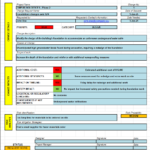
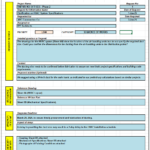
A material approval form is the cover document a contractor uses to submit a proposed material, product or sample to the consultant for approval. It identifies the material, the specification clause and the supplier, attaches datasheets or samples, and records the consultant’s decision. The register tracks all of these forms and their revisions.
What is a material approval request?
A material approval request, sometimes called a MAR, is a formal request asking the engineer or architect to approve a material before it is ordered or used. In practice, MAR and MAF describe the same process. Terminology varies by company and region, so use the terms in your contract documents.
What is a material submittal?
A material submittal is information the contractor sends to the design team to show that a proposed product meets the specification. It can include product data, samples, test certificates and shop drawings. The material approval process is one type of submittal, and the register is your submittal log for materials.
Why keep one register per specialty?
Separate registers for structure, architecture, HVAC, electrical and sanitary keep each list manageable and let each discipline engineer track their own submissions. It also makes it easier to report outstanding approvals by trade in progress meetings.
What happens if a material is rejected?
Record the rejection and the consultant’s comments against that revision. Then correct the submission or propose an alternative and resubmit it as the next revision under the same MAF group, so the full history of that material stays in one place.




Reviews
There are no reviews yet