
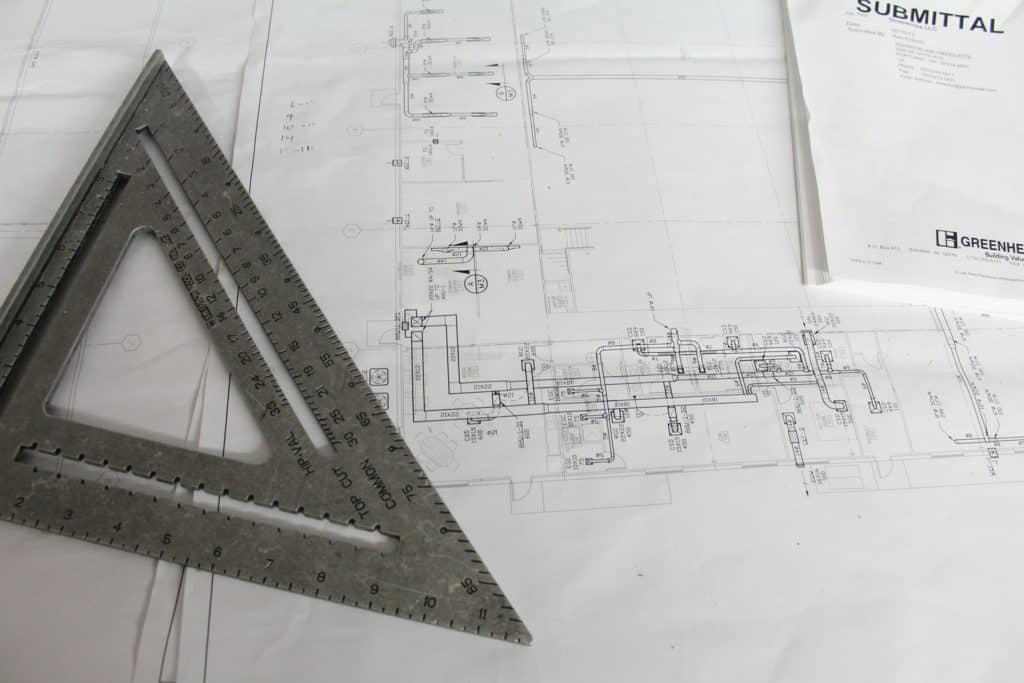

A construction submittal is a document, sample or mock-up the contractor sends to the architect or engineer to show exactly what it plans to install, before it is ordered or built. Shop drawings, product data (cut sheets), samples, test reports and closeout documents are all submittals. The design team reviews each one against the drawings and specifications and returns it with an action code.
This guide walks through the whole construction submittal process the way it actually runs on a job: building the submittal register from the specs, the step-by-step review workflow with realistic durations, what each review stamp means, and how to plan lead times so approvals never hold up procurement. You also get a sample submittal log entry, a sample cover sheet and a checklist of the mistakes that cause most resubmittals.
Key takeaways
- Submittals prove that what you buy and build matches the design intent. They are reviewed for general conformance, and they do not change the contract unless a deviation is clearly flagged and accepted.
- Build your submittal register from every spec section’s “Submittals” article (Part 1), plus Division 01 requirements such as Section 01 33 00 Submittal Procedures.
- The usual routing is supplier or fabricator → subcontractor → general contractor → architect/engineer → back down the same chain.
- Plan for roughly 2–4 weeks per review cycle and at least one resubmittal on anything complex. Work backwards from the required-on-site date.
- Action codes vary by firm, but they all boil down to four outcomes: approved, approved as noted, revise and resubmit, and rejected.
- Never release fabrication or order long-lead equipment on an unreviewed or “revise and resubmit” submittal.
Editable template
Get the Submittal Form Template
An editable submittal form with fields for spec section, submittal number, revision, deviations and the GC review stamp, so every package goes out complete and you stop rebuilding the form on each job.
What is a submittal in construction?
A submittal is any item the contract documents require the contractor to send to the design team for review or for the record. The drawings and specs describe what the building needs. The submittal shows the specific product, layout or detail the contractor proposes to use to meet that requirement.
For example, the spec might call for a commercial-grade, ADA-compliant lavatory faucet with a 0.5 gpm aerator. The plumbing contractor’s submittal is the manufacturer’s data sheet for the exact model, finish and options it intends to buy, with those items marked. The architect and plumbing engineer review it, stamp it, and the sub orders from the reviewed sheet.
Why submittals matter
- Catch problems on paper, not in the field. A wrong voltage on a rooftop unit or a missed embed in a steel connection costs minutes to fix on a drawing and weeks to fix after delivery.
- Coordinate trades. Shop drawings show the real sizes, weights and connection points other trades need, from duct sizes to equipment pads.
- Drive procurement. Most fabricators will not start until they have reviewed shop drawings. Late submittals are one of the most common causes of late material.
- Create the record for inspections, punch lists, O&M manuals and future renovations.
- Allocate risk. When something goes wrong, the reviewed submittal is usually the first document everyone pulls.
Under the common US general conditions (AIA A201), the contractor must review and approve its own submittals before sending them, and submittals are not Contract Documents. The architect reviews them only for conformance with the design concept and the information given in the Contract Documents. Canadian CCDC contracts follow a similar logic, which is why many Canadian consultants stamp submittals “Reviewed” rather than “Approved”. Always read the general conditions and Division 01 for your project, because they set the actual rules.
Types of construction submittals
Specs usually split submittals into “action” submittals, which need a design-team decision before work proceeds, and “informational” submittals, which are filed for the record. Here are the types you will see on almost every job.
| Type | What it is | Typical examples | Action or informational |
|---|---|---|---|
| Shop drawings | Drawings prepared by the fabricator or sub showing how a custom or site-specific item will be made and installed | Structural steel, rebar placing drawings, curtain wall, millwork, precast, fire sprinkler layouts, ductwork | Action |
| Product data / cut sheets | Manufacturer’s published data for an off-the-shelf product, marked to show the exact model and options | Light fixtures, plumbing fixtures, door hardware, sealants, roofing membranes, HVAC equipment | Action |
| Samples | Physical pieces of the actual material, often in a range showing normal variation in colour or texture | Tile, brick, paint draw-downs, carpet, stone, laminate, wood stain | Action |
| Mock-ups | A full-size section of assembled work built on site or in the shop to set the quality standard | Masonry panel with flashing and windows, exterior wall assembly, a finished hotel room | Action |
| Test reports and certificates | Lab or factory results proving the material meets the spec | Concrete mix designs, mill certificates for steel, welder qualifications, fire-rating listings | Usually informational (mix designs are often action) |
| Design data and calculations | Engineering for items the contractor designs (delegated design), usually sealed by an engineer | Stair and railing calculations, curtain wall anchors, formwork, pre-engineered trusses | Action |
| Qualification data | Proof that installers, fabricators or testing agencies meet the spec’s experience requirements | Installer certifications, manufacturer authorized installer letters | Informational |
| Operation and maintenance (O&M) data | Manuals, parts lists and maintenance schedules for equipment and finishes | Boilers, air handlers, generators, roofing care instructions | Closeout |
| Closeout submittals | Documents the owner needs to take over and run the building | Warranties, as-built/record drawings, attic stock receipts, spare parts, training records | Closeout |
A note on vocabulary: in the Middle East, South Asia and on many international projects, a product submittal is often called a material approval request (MAR) or material submittal, and shop drawings go on a separate shop drawing submittal. The process is the same. If that is your format, the Material Approval Request template and the Material Approval Form template follow that layout.
On US federal projects that use the Unified Facilities Guide Specifications (UFGS), Section 01 33 00 sorts submittals into eleven numbered classes, from SD-01 Preconstruction Submittals through SD-11 Closeout Submittals. SD-02 is shop drawings, SD-03 product data, SD-04 samples, SD-05 design data, SD-06 test reports and SD-07 certificates. Items the government must approve are marked with a “G”; the rest are for information. If you’re bidding federal work, build your register around those codes.
Who prepares, reviews and approves submittals
Responsibility runs in a chain. Each link has a distinct job, and most problems happen when one link treats the submittal as someone else’s responsibility.
| Party | Role in the submittal process |
|---|---|
| Supplier, manufacturer or fabricator | Produces the shop drawings, data sheets, samples and test reports. |
| Subcontractor | Assembles the package, checks it against its scope and the spec, marks the selected options, flags any deviations and sends it to the GC. |
| General contractor (GC) or construction manager | Builds and maintains the submittal register, reviews every package for completeness, field dimensions and coordination with other trades, applies its own review stamp, and forwards it to the design team. Tracks due dates and chases returns. |
| Architect (prime consultant) | Logs the package, routes it to the right consultants, consolidates comments and returns it with an action code. Reviews architectural items directly. |
| Engineers and specialty consultants | Review the items in their discipline: structural, mechanical, electrical, civil, landscape, acoustics, fire protection and so on. |
| Owner | Usually not a reviewer, but often selects colours and finishes from samples, and receives the closeout submittals. |
| Authority having jurisdiction (AHJ) | Reviews deferred submittals (such as fire sprinkler or fire alarm drawings) when the building code requires it. |
On design-build projects, the reviewer may sit inside the same company as the builder, but the steps stay the same. Agree on the routing at the preconstruction meeting and write it into the submittal procedures so nobody has to guess who reviews what.
Building the submittal register from the specifications
The submittal register (also called the submittal schedule or submittal log) is the master list of every submittal the project requires. The “schedule of submittals” is something many owners and architects require the contractor to provide early in the job. Under AIA A201, for example, the contractor prepares a submittal schedule promptly after the contract is awarded and coordinates it with the construction schedule.
Where the requirements come from
Most North American specs follow CSI MasterFormat. Two places tell you what to submit:
- Division 01 – General Requirements. Section 01 33 00 Submittal Procedures sets the rules: format, numbering, how many copies or what file type, review periods, required stamps, how to show deviations and how resubmittals work. Related sections often include 01 25 00 Substitution Procedures, 01 43 39 Mockups and 01 78 00 Closeout Submittals (with sub-sections for O&M data, warranties and record documents).
- Part 1 of each technical section. Every section in Divisions 02 to 49 has a “Submittals” article (often 1.3, 1.4 or similar) listing the product data, shop drawings, samples, certificates and closeout items needed for that work.
How to build it, step by step
- Get the issued-for-construction spec book and the latest addenda. Submittal requirements in addenda are easy to miss.
- Go through the table of contents and create one line per required submittal item, not one line per section. Section 08 71 00 Door Hardware might generate a hardware schedule, product data, samples of finishes, keying schedule and O&M data.
- Assign each line a number, typically the spec section plus a sequence (for example 08 71 00-001). Revisions keep the same number with a suffix (-001.1 or Rev 1).
- Tag each line with its type (shop drawing, product data, sample and so on), whether it is action or informational, and the responsible subcontractor.
- Add the reviewer (architect, structural, MEP and so on) so you know which packages need multiple consultants and longer review times.
- Add procurement data: supplier lead time and the date the material is needed on site, pulled from the construction schedule.
- Calculate a “submit by” date for each line by working backwards (see the lead-time section below).
- Send the draft register to your subs to confirm, then to the architect to accept. Update it every week.
The Construction Submittal Schedule Template has these columns already laid out, so you can start entering spec sections instead of building a spreadsheet from scratch.
Editable template
Get the Construction Submittal Schedule Template
An editable submittal register with columns for spec section, submittal type, responsible sub, reviewer, lead time, required-on-site and submit-by dates, so you can see the whole job’s submittals and spot late items at a glance.
The construction submittal process, step by step
Contract type and company procedures change the details, but the core workflow is almost always the same. The durations below are typical ranges for a commercial project. Your spec’s Section 01 33 00 overrides them, so check it.
| Step | Who | What happens | Typical duration |
|---|---|---|---|
| 1. Prepare | Supplier / fabricator and sub | Sub issues a PO or letter of intent, supplier prepares data or shop drawings, sub checks against the spec and marks options | 1–4 weeks (longer for complex shop drawings) |
| 2. Submit to GC | Sub | Sends the package with a completed cover sheet, listing any deviations | Same day |
| 3. GC review | GC project engineer / PM | Checks completeness, spec compliance, field dimensions and coordination. Stamps it or returns it to the sub | 3–7 working days |
| 4. Transmit to design team | GC | Logs it and sends it to the architect with a transmittal | 1 day |
| 5. Design review | Architect and consultants | Reviews, comments and applies an action code | Often 10–15 working days; longer when several consultants review |
| 6. Return to GC | Architect | Returns the consolidated, stamped submittal | 1–2 days |
| 7. Distribute | GC | Updates the log, returns it to the sub, and copies affected trades and the site team | 1–2 days |
| 8. Act on the result | Sub and GC | Release fabrication or order (approved / approved as noted), or revise and resubmit (start again at step 2) | Resubmittals usually get the same review period again |
Add it up and a straightforward product data submittal usually takes three to five weeks from the sub’s first request to a returned stamp. A complex shop drawing with one resubmittal can easily take two to three months. That is why the register needs to be built in the first weeks of the job.
What the GC should check before forwarding
The GC review is not a rubber stamp. Under most general conditions, sending a submittal to the architect represents that the contractor has reviewed it, checked field measurements and coordinated it with the rest of the work. A good GC review checks:
- The right spec section, submittal number and revision are on the cover sheet.
- Every required item listed in the spec section’s “Submittals” article is included.
- Selected models, options, sizes, colours and voltages are clearly marked, and options that don’t apply are struck out.
- Dimensions match the drawings and actual field conditions.
- Interfaces with other trades are coordinated (embeds, openings, clearances, power and controls).
- Any deviation from the spec is listed on the cover sheet, not buried in the data.
- The package is legible and complete. Partial submittals waste a review cycle unless the architect has agreed to accept them.
If you want a single document that maps this routing for your team, the Construction Submittal Workflow Template lays out each step and owner.
Review stamps and action codes
Every firm’s stamp wording is a little different, but the outcomes are the same. Many engineers avoid the word “approved” altogether and use phrases like “No Exceptions Taken” or “Reviewed” to make it clear they reviewed for general conformance only. Most stamps also carry a disclaimer noting that the contractor remains responsible for quantities, dimensions, fabrication methods, coordination and safety.
| Action code | Common wording variations | What it means | What you do next |
|---|---|---|---|
| Approved | Reviewed, No Exceptions Taken, Accepted | Conforms to the design intent with no comments | Release fabrication or order. File the stamped copy. |
| Approved as noted | Reviewed as Noted, Make Corrections Noted, Furnish as Corrected | Acceptable once the reviewer’s comments are incorporated. No resubmittal unless the stamp says so | Proceed, but make sure the supplier builds to the comments. Confirm in writing if a comment changes cost or schedule. |
| Revise and resubmit | Amend and Resubmit, Returned for Correction, Not Approved – Resubmit | Major issues or missing information. A revised submittal is required | Do not order or fabricate. Correct, cloud the changes and resubmit with the next revision number. |
| Rejected | Not Accepted, Not Approved | The product or approach does not meet the requirements | Submit a different product or an approach that complies. Do not resubmit the same item. |
| For record / information only | Received for Record, Informational, Not Reviewed | Filed without a design review, usually for informational submittals | File it. Do not treat it as an approval. |
| Submit specified item | Not Reviewed – Submit as Specified | The reviewer won’t review the substitution offered and wants the specified product | Resubmit the specified product or follow the formal substitution procedure. |
If a comment in an “approved as noted” response changes the scope, for example the architect asks for a heavier gauge or a different finish than specified, raise it right away. A submittal review comment is not a change order, and most general conditions require you to notify the architect in writing before proceeding if you think the comment adds cost or time.
Sample submittal log entry
Here is an illustrative log entry for an aluminum storefront shop drawing that needed one resubmittal. The names and dates are made up, but the fields are the ones you want to track.
| Field | Entry |
|---|---|
| Submittal no. | 08 41 13-001.1 (Rev 1) |
| Spec section | 08 41 13 Aluminum-Framed Entrances and Storefronts |
| Description | Shop drawings: storefront elevations, sections, anchorage and glazing schedule, Level 1 north and east |
| Type | Shop drawings (action) |
| Subcontractor / supplier | Glazing subcontractor / storefront system manufacturer |
| Reviewer(s) | Architect; structural engineer (anchorage) |
| Received from sub | Mar 3 (Rev 0); Apr 7 (Rev 1) |
| Sent to architect | Mar 6 (Rev 0); Apr 9 (Rev 1) |
| Due back | Mar 20 (Rev 0); Apr 23 (Rev 1), 10 working days per Section 01 33 00 |
| Returned | Mar 21: Revise and Resubmit (sill flashing and anchor spacing); Apr 22: Approved as Noted |
| Lead time after approval | 8 weeks fabrication and delivery |
| Required on site | Week of Jun 30 |
| Ball in court | Sub (release to fabrication) |
| Notes | Architect note on Rev 1: confirm finish colour matches the approved sample 08 41 13-002. Released to fabrication Apr 24. |
Two fields make a log useful instead of just a list: ball in court (who is holding it right now) and required on site. Sort by ball in court before every coordination meeting and you know exactly who to chase.
Sample submittal cover sheet
Every submittal should travel with a cover sheet. It tells the reviewer what they are looking at, records the contractor’s review and forces the sub to declare deviations. A good cover sheet includes these fields:
| Cover sheet field | Example |
|---|---|
| Project name and number | Example Community Centre, Project 24-118 |
| Submittal number and revision | 22 40 00-003, Rev 0 |
| Spec section and paragraph | 22 40 00 Plumbing Fixtures, 1.4 Action Submittals |
| Submittal type | Product data |
| Description | Lavatory faucets L-1 and L-2, sensor-operated, chrome finish |
| Drawing references | P-501 fixture schedule; A-401 washroom elevations |
| Submitted by | Plumbing subcontractor, contact and date |
| Manufacturer / supplier | Faucet manufacturer and local distributor |
| Deviations from contract documents | Yes: L-2 is battery-powered instead of hard-wired. See attached note. |
| Action requested | Review and approval |
| Date required back | Per 01 33 00, 10 working days |
| Contractor review stamp | GC reviewer, date, “Reviewed for general conformance and coordination” |
| Design review stamp space | Left blank for the architect/engineer |
You can use the Submittal Cover Sheet as is or add your logo. When you send the package, a separate construction transmittal records what was sent, to whom, how and when.
Submittal vs transmittal: what’s the difference?
People often mix these up. The submittal is the content being reviewed (the shop drawings, data or sample) plus its cover sheet. The transmittal is the delivery record: a short form listing the documents sent, the number of copies or files, the purpose (for review, for record, for construction) and the date. One transmittal can carry several submittals. On a digital platform, the transmittal is often generated automatically, but you still need the record.
Lead times and procurement planning
A submittal schedule only works if it is tied to the construction schedule. The trick is to work backwards from the date the material is needed, not forwards from when the sub gets around to it.
Worked example: back-scheduling a submittal
Say your construction schedule has storefront installation starting in week 30 of the project. Working backwards:
| Item | Duration | Must happen by |
|---|---|---|
| Material on site (1-week buffer before install) | 1 week | Week 29 |
| Fabrication and delivery after approval | 8 weeks | Approval by week 21 |
| Allowance for one resubmittal cycle (sub revision + design review) | 3 weeks | First review back by week 18 |
| First review (GC 1 week + architect and structural 2 weeks) | 3 weeks | Submitted to GC by week 15 |
| Shop drawing preparation by the fabricator | 3 weeks | Sub’s PO and request to fabricator by week 12 |
In this example, a storefront that installs in week 30 needs to be bought and in the drafting queue by week 12. If the subcontract isn’t signed until week 14, you already know you have a problem and can act now: ask for a partial early package, pay for expedited fabrication, or resequence the work.
Items that typically drive the schedule
- Electrical gear: switchgear, switchboards, transformers, generators and automatic transfer switches, where lead times are often measured in months.
- Elevators and escalators.
- Custom curtain wall, storefront and specialty glazing.
- Structural steel, joists and deck, precast concrete and pre-engineered metal buildings.
- Rooftop units, chillers, boilers, air handlers and other major mechanical equipment.
- Custom millwork, specialty doors and hardware (hardware schedules are notorious for taking several rounds).
- Imported finishes, stone and tile.
Lead times move with the market, so confirm them with suppliers when you build the register and again when you release the order. Flag long-lead items in the register so they get reviewed first, and consider asking the architect for an early, partial review of critical equipment.
Deferred submittals
A deferred submittal is a portion of the design that is not submitted with the building permit application and is instead submitted later, during construction, for the building official’s approval. The International Building Code (Section 107.3.4.1 in recent editions) allows this when the registered design professional in responsible charge lists the deferred items on the construction documents and the building official agrees.
Common deferred submittals include fire sprinkler drawings, fire alarm systems, pre-engineered wood or steel trusses, metal building systems, curtain wall anchorage, stairs and guardrails designed by the fabricator’s engineer, and some specialty structural elements. Typically the deferred documents go to the design professional in responsible charge first, who reviews them and forwards them to the building department noting that they are in general conformance with the design. The deferred work cannot be installed until the building official has approved those documents.
Two practical points:
- Deferred submittals need two review cycles (design team and building department), so give them more time in the register.
- They usually overlap with delegated design, where the spec makes the contractor’s engineer responsible for designing the item and sealing the calculations. Make sure the subcontract clearly carries that engineering cost.
Requirements differ between jurisdictions, and Canadian provinces and municipalities handle permit-stage and construction-stage documents in their own ways. Check with your local building department and the engineer of record before you assume something can be deferred.
Submittals vs RFIs
Submittals and requests for information (RFIs) both move through the GC to the design team and are both logged, but they do different jobs. Mixing them up slows both down.
| Submittal | RFI | |
|---|---|---|
| Purpose | Shows what the contractor proposes to supply or build | Asks a question about the design, or flags a conflict or gap |
| Direction | Contractor tells the designer “here is what we plan to use” | Contractor asks the designer “what do you want here?” |
| Required by | Listed in the specs, planned in advance | Raised as issues come up |
| Result | An action code on the submitted documents | A written answer, sometimes with a sketch or a revised detail |
| Changes the contract? | No, unless a deviation is flagged and accepted, or it leads to a change order | No by itself, but the answer may lead to a change order |
| Typical form | Submittal form and cover sheet | RFI template |
Don’t use a submittal to ask a design question, and don’t use an RFI to get a product approved. If a submittal can’t be finished because of a design conflict, issue an RFI, reference it on the submittal and note it in the log. For more on writing RFIs that get fast answers, read The Ultimate Guide to the Construction RFI.
Substitutions and “or equal” products
If the sub wants to use a product other than the one specified, that is usually a substitution request, not a regular submittal. Most specs (Section 01 25 00 Substitution Procedures, or the equivalent) require a formal request with a side-by-side comparison, the reason for the substitution, the cost and schedule effect, and the contractor’s statement that it will cover any redesign or coordination it causes. Many specs only accept substitutions during bidding or within a set period after award. Sliding a substitute product into a regular product data submittal and hoping nobody notices is a common reason for a rejected stamp, and it can leave you on the hook if the reviewer misses it.
Digital tools for managing submittals
Small jobs run fine on a spreadsheet log, email and PDF markups. Once you have more than a few dozen submittals or several consultants, a submittal module in a construction management platform usually pays for itself. Look for one current version of every item with its stamps and comments, ball-in-court tracking with automatic reminders, parallel review so consultants comment at the same time, register import from the spec book (always check what it misses), and a clean export for the owner at closeout.
Whatever tool you use, the discipline is the same: one number per item, one current version, one person holding the ball, and a register that gets reviewed every week.
Common submittal mistakes
- Building the register late. If the register isn’t done in the first few weeks, long-lead items are already behind.
- Forwarding sub packages without a real GC review. It wastes the architect’s review cycle and it can make the GC responsible for errors it was supposed to catch.
- Unmarked cut sheets. A data sheet showing twelve models with nothing circled forces the reviewer to guess, or to send it back.
- Hidden deviations. If it doesn’t match the spec, say so on the cover sheet. A stamp on a hidden deviation usually doesn’t protect you.
- Piecemeal packages. Sending the light fixtures without the lighting controls, or the steel without the connection design, gets a revise and resubmit. Submit related items together unless the architect agrees otherwise.
- Ordering on a “revise and resubmit”. It happens more than it should, and the cost of the wrong material lands on whoever released it.
- Not clouding resubmittal changes. Reviewers should only need to review what changed. Cloud it, and respond to every comment in writing.
- Ignoring comments on “approved as noted”. The comments are part of the approval. Make sure they reach the fabricator and the field.
- Treating closeout submittals as an afterthought. O&M manuals, warranties and record drawings are often tied to final payment and retention release. Track them in the same register from day one. See our guide to construction project closeout.
- Not sharing reviewed submittals with the field. The superintendent and foremen should install from the reviewed copy, not the bid drawings. It is a simple way to control quality on the jobsite.
FAQ
Are submittals part of the contract documents?
No, not under the standard AIA A201, which says shop drawings, product data and samples are not Contract Documents. They show how the contractor proposes to meet the documents. A reviewed submittal doesn’t override the drawings and specs unless the contractor flagged the deviation in writing and the architect specifically approved it. Owners sometimes modify this, so check your contract.
How do you review a submittal?
Start with the spec section’s submittal article and confirm the package is complete. Then check each item against the drawings and specs: model, size, capacity, ratings, finish and options. Check dimensions and clearances against the drawings and field conditions, confirm interfaces with adjoining trades, and look for deviations, flagged or not. Mark comments on the documents, apply one clear action code, and keep comments to what the contract requires rather than preferences.
What are some examples of construction submittals?
Typical examples include structural steel and rebar shop drawings, concrete mix designs, door hardware schedules, light fixture and plumbing fixture cut sheets, roofing membrane product data, paint and tile samples, a masonry mock-up panel, welder certifications, HVAC equipment data, and closeout items such as O&M manuals, warranties and record drawings.
What is a submittal schedule?
A submittal schedule (or submittal register) lists every submittal the specs require, with the responsible subcontractor, reviewer, lead time, the date the material is needed and the date each submittal must be sent. Many contracts, including those using AIA A201, require the contractor to prepare one early in the project and coordinate it with the construction schedule.
How long does submittal review take?
It depends on the spec. Section 01 33 00 often allows the architect around 10 to 15 working days per review, with more time when several consultants are involved, and the same time again for each resubmittal. Add a few days for the GC review and distribution. A typical cycle is two to four weeks.
What does “approved as noted” mean on a submittal?
It means the submittal is acceptable as long as the reviewer’s comments are incorporated. You can usually proceed with ordering or fabrication without resubmitting, unless the stamp specifically asks for a resubmittal. If a comment changes cost or schedule, notify the architect in writing before you proceed.
Who is responsible for submittals on a construction project?
The contractor is responsible for preparing, reviewing and submitting them on time. In practice, subcontractors and suppliers prepare the packages, the general contractor reviews, coordinates and forwards them, and the architect and engineers review them for conformance with the design intent. The contractor stays responsible for dimensions, quantities, coordination and means and methods.
What is a submittal package?
A submittal package is a group of related submittal items sent together under one number and cover sheet, for example all the product data, shop drawings and samples for a single spec section. Grouping related items lets the reviewer see the whole system at once and reduces resubmittals.
What is the difference between a shop drawing and a cut sheet?
A shop drawing is prepared specifically for your project and shows how a custom or site-specific item will be made and installed, such as steel connections or a millwork elevation. A cut sheet is the manufacturer’s standard published data for an off-the-shelf product, marked up to show the exact model and options you are buying.
Can a contractor order materials before the submittal is approved?
It can, but it carries the risk. Most specs prohibit fabrication or installation of submittal items until review is complete. If you order early to protect the schedule and the submittal comes back revised or rejected, the cost of the wrong material is normally yours. Get an early review or written direction instead.
Summary
Submittals are where design intent turns into real products and real dimensions. Build the register from the specs in the first weeks, tie every line to a required-on-site date, review packages properly before they go to the architect, and track ball in court every week. Do that and submittals stop delaying the job and start protecting it.
Every template you need for this, in one membership
Members get the full submittal toolkit, from the register and cover sheet to transmittals, material approvals and RFIs. Get unlimited access to 1,200+ editable construction templates, forms and checklists.
- Construction Submittal Schedule Template
- Submittal Cover Sheet
- Material Approval Request
Please I really want to down load this 52 construction tips and save it in my desktop for latter use. Should there be any possibilities where you could assist me by sending your news letters to me in a PDF form.
Hey there Moroi – on each one of our articles now at the top of the article on the right hand side you’ll see a PDF button. This will allow you to download the PDF.
We’ll clean up some of the formatting later this week but hopefully this works!